
Updating Customer Addresses After Administrative Boundary Changes Without Losing Customer Data
07/10/2026
Updating Customer Addresses After Administrative Boundary Changes Without Losing Customer Data
A long-standing customer suddenly appears as a new customer because the ward name on a purchase order differs from the existing record. An employee creates another account to process the order quickly, while outstanding balances, loyalty points, and warranty history remain attached to the previous customer ID. The location has not changed, but the business has unintentionally split one customer relationship across two records.
This illustrative scenario highlights a risk that businesses need to control when updating addresses after administrative reorganization. In a CRM, sales platform, or customer database, the task goes beyond replacing commune and ward names. Businesses need to preserve customer identities and transaction relationships while distinguishing original addresses, normalized addresses, and verification status.
Mapvina can support the address search and comparison layer: Search/Geocoding finds locations from address input, while Reverse Geocoding retrieves addresses from coordinates. The relevant APIs support old and new administrative boundaries according to the integration documentation.[1] Preserving customer IDs, managing versions, and approving updates must be implemented within the business’s own systems. Combining these two layers properly creates a migration process that can be audited and rolled back.
A Different Address Name Does Not Mean a Different Customer
Problems often arise when software treats an address string as part of a customer’s identity. One entry uses Vietnamese diacritics, another uses abbreviations, and a third uses the new administrative name: the same person may be treated as several different customers. Conversely, two customers in the same building may be merged incorrectly if address similarity carries too much weight.
The implementation principle should be agreed from the outset: the customer ID is a stable identifier; the address is an attribute that can change and has a history. Where a customer has multiple delivery locations or branches, each address needs its own identifier linked to that customer. An administrative name change at one location should neither automatically create a new customer nor delete the previous address.
For example, the illustrative record KH-000128 is linked to 37 transactions and two warranty requests. Its customer ID remains unchanged when the address is normalized. The system adds a new address version for the correct delivery location and records the approver and effective date. These figures explain the data structure; they are not actual implementation results.
Administrative renaming must also be distinguished from relocation. If the customer actually moves, the business should create or update an address with its own validity period. The label “normalization” must not conceal a real change in physical location.
Why Bulk Replacing Commune and Ward Names Is Not Enough
An old-to-new name lookup table is useful, but it cannot resolve every record. In the reorganization list published by the Vietnam Government Portal, the new An Phú commune in An Giang was formed from entire administrative units and portions of the territory and population of other communes. The remaining portions were subsequently assigned to other new communes.[4] This provides a concrete example of why one old commune name does not necessarily map to a single new commune.
If a record contains only a commune name, with no house number, street, hamlet, or reliable coordinates, the software may lack sufficient information to choose the correct destination. Filling a mandatory field anyway produces an address that looks complete but has not been substantiated. The safer approach is to leave the record pending verification and request additional information.
Administrative names also need to be associated with their applicable periods. A spreadsheet without effective dates or reference sources becomes difficult to audit after several update cycles. Businesses should version their migration rules and record lookup times and supporting references. This information supports internal traceability; an API lookup should not be interpreted as legal proof of a residential or registered business address.
Mapvina’s Specific Role in the Workflow
According to Mapvina’s documentation, Search accepts a full address and returns location information, while Reverse Geocoding returns the nearest address from a coordinate pair.[1] These two lookup directions help businesses build proposed address updates rather than modify original records directly through string replacement.
For Search v2, the documentation describes new_admin=true for returning addresses under the new administrative boundaries and include_old_admin=true for including old address information when the new-boundary mode is enabled. Responses may include formatted_address, old_formatted_address, address components, coordinates, and a partial_match indicator.[3] These are useful inputs for a comparison screen, but a documented field does not mean that every result is complete or accurate down to the house number.
Reverse Geocoding v1 also documents these two parameters, alongside fields such as label, old_label, distance, and coordinate information.[2] When a business already has a field-verified point, a reverse lookup can help compare its address under the new administrative boundaries. However, the nearest result does not by itself prove that the point belongs to the correct apartment, store, or customer.
Another important limitation concerns identifiers. The Search v2 documentation states that official_id is returned only when the result is an administrative unit; place_id identifies a place.[3] Businesses should not assume that every address includes an official administrative code or replace a CRM’s customer_id with a provider’s place identifier.
Mapvina therefore supplies the lookup and address-data layer for comparison. The business remains responsible for identity management, automatic acceptance criteria, personal data, record-merging decisions, and historical storage. This article proposes an integration architecture; it does not claim that Mapvina itself supplies all these CRM governance functions.
The Data Model: Preserve Separate Layers Instead of Overwriting One Column
A single address field is unlikely to satisfy both current operations and historical review. A minimum viable model should separate customers, locations, and individual address versions. Engineering teams can adapt field names to existing software, but the following meanings should be preserved:
customer_id: the customer identifier used by CRM, accounts receivable, sales, and warranty systems; unchanged during normalization.address_id: an address or service-location identifier, allowing one customer to have multiple locations and address types.original_address: the original text captured at intake or before migration, protected from being overwritten by the normalization job.proposed_address: a system-generated suggestion that is not automatically treated as approved.normalized_address: the accepted version for a defined operational purpose.verification_status: pending processing, pending review, accepted under rules, verified by a responsible reviewer, or insufficient information.latitude,longitude,coordinate_source,coordinate_verified_at: location information with its source and verification time; nullable when unsupported.provider,api_version,queried_at,rule_version: traceability for the lookup and the business’s decision rules.valid_from,valid_to,recorded_at,verified_by,verification_note: validity periods, recording time, and approval accountability.
The recording time is not necessarily the address’s effective date. If the business learns about a change after it took effect, both timestamps should be stored separately. The date a batch job runs must not be used to infer when a customer moved.
The business’s original address also differs from the old address returned by an API. The old_formatted_address or old_label field is the provider’s representation of an address under the old administrative boundaries, not a verbatim copy of what the customer originally supplied.[2][3] These two types of information must therefore be stored separately. Combining them may destroy the very input evidence the business intended to preserve.
Previously issued documents require their own business procedures. From a data-design perspective, businesses should preserve the address snapshot attached to a transaction when it occurred and make the current address available when reviewing the customer record. Updating the CRM should not automatically rewrite addresses across all invoices, contracts, or historical transactions.
From Legacy Data to a Verified Address: The Implementation Workflow
1. Define the Scope and Establish a Reconciliation Baseline
Before calling an API, the data team exports the customers, addresses, and transaction relationships within the migration scope. The export should have a version or cutoff timestamp and be stored in an access-controlled location. Engineering checks customer ID counts, address counts, transaction counts, and reference relationships.
Reconciliation must go beyond total row counts. A transaction reassigned to the wrong customer may leave the total count unchanged. Checks should cover the set of transaction_id–customer_id pairs, orphaned records, and critical information such as balances attributed to each customer. This baseline becomes an acceptance condition after migration.
2. Classify Input Quality
Records with coordinates previously verified at the physical location should be handled differently from records containing only address strings. Flag records with missing house numbers, missing street names, ambiguous place names, or notes such as “near the market.” Records with disputed locations should go to the responsible business owner.
Whitespace and formatting can be normalized in a working copy, but the original input must remain intact. Apartment numbers, floors, alley details, and delivery notes should be preserved in suitable fields even if search results do not return them.
3. Generate Proposals with Search/Geocoding or Reverse Geocoding
For reasonably complete address strings, the integration sends the necessary address information to Search v2. It stores the output in a proposal area together with the lookup timestamp and API version. Where old and new boundaries need to be compared, the application uses the documented parameters.[3]
For coordinates from a reliable source, the system can use Reverse Geocoding to retrieve the corresponding address in the desired administrative-boundary mode.[2] It is not necessary to call both services for every record. Choosing the processing path according to the available input helps control request volumes and reduce results that are difficult to explain.
If there is no result, retain the data currently in use and record the reason. A network error is not evidence that an address does not exist. Similarly, a no-result response is not a reason to delete a customer or invent an address to satisfy a form.
4. Check Suitability Before Acceptance
Internal rules should consider house numbers, streets, place names, location details, and the specificity of the result. If a response represents only a ward, its coordinates should not be interpreted as the customer’s home location. Where partial_match is present, the record needs an appropriate review rule rather than automatic acceptance.[3]
Proposed coordinates can be compared with a verified point, but distance is only one signal. A single threshold is unlikely to suit apartment buildings, industrial parks, and rural areas equally well. Businesses should calibrate criteria against checked address samples, rather than turn a confidence score or distance into a guaranteed accuracy rate.
Forward and reverse lookups against the same data source can reveal some inconsistencies, but they are not two independent pieces of evidence. Records with insufficient information still require confirmation from the customer, a responsible employee, or an appropriate business source.
5. Review Exceptions Within the Same Customer Record
The review screen should place the original address, proposed address, and comparison details side by side. Employees should be able to accept a proposal, correct missing information, request confirmation, or reject it, with a reason recorded for each action. They should not need to open a new customer record simply to enter a new ward name.
The system should distinguish “accepted under rules” from “verified by a responsible reviewer.” Both may be usable under internal policy, but their supporting evidence differs. Clear status labels help customer service staff recognize when further confirmation is needed.
6. Save a New Version and Synchronize Under Controlled Conditions
An update must target the correct customer_id and address_id, create a change history, and leave transaction-linking keys unchanged. Version checks before writing help prevent a bulk job from overwriting information that a customer has just corrected while the lookup was running.
Each work item should have an idempotency key and a completion status. When processing resumes after an error, the system should recognize a proposal that has already been applied rather than create another identical address. If synchronization with the ERP or sales application has not succeeded, the record should expose that state for the operations team to resolve.
7. Reconcile, Accept, and Prepare for Rollback
After each batch, recheck transaction relationships, customer IDs, original addresses, and change histories. Business reviewers should sample both automatically accepted records and exception cases, rather than inspect only easy, complete records.
Rollback needs to account for which address version is currently in use and what legitimate changes have occurred since migration. Restoring an entire old backup can erase newer customer information. Rollback should therefore use version history and batch-level logs, and the procedure should be rehearsed before a wider rollout.
Preventing Duplicate Records from Returning
A one-time cleanup is insufficient if forms continue creating new customers from address strings. When customer service receives an address that differs from the previous one, the application should retrieve the record using the business’s managed identifiers, then update the appropriate location within that record. An address should support verification, not determine identity on its own.
Phone numbers are not universally reliable keys either: they may be shared or reassigned. Customer merging requires a separate process with supporting evidence and approval authority. An address-normalization project should not silently double as an identity-consolidation exercise.
On the address-entry screen, Search can help employees find a location to select.[1] Businesses should still allow apartment details, recipient information, and contact notes to be retained in separate fields, and show the completed address for confirmation. Customers should not be forced to choose an incorrect result simply because the suggestions omit their location.
Who Owns Each Part of the Process?
The customer-data owner, typically CRM operations or customer service, approves status definitions and acceptance criteria. The data team prepares the reference sample, classifies records, and measures discrepancies. Engineering builds the Mapvina integration, version storage, idempotent processing, and synchronization controls.
Field staff or customer service teams resolve records that lack sufficient evidence. Information security reviews access permissions, logs, and connection configuration; legal or compliance staff assess personal-data processing in the applicable context. The service provider should be consulted about API versions, data coverage, quotas, and usage terms.
This division of responsibility avoids a common gap: engineering completes the job and reports that updates have been made, but nobody confirms whether the new addresses are reliable enough for business use.
Which KPIs Actually Demonstrate Data Preservation?
The first criterion is identity and relationship preservation: no unauthorized customer ID changes, and no transactions lost or misassigned because of migration. Next comes traceability: every applied update must retain the original address, new version, status, and processing basis. These are proposed acceptance conditions, not achievements published by Mapvina.
To measure address quality, businesses need a reference sample confirmed independently of the automated job. Proposal accuracy equals the number of proposals matching that reference sample divided by the number checked. Coverage equals the number of records with proposals eligible for review divided by the number in scope. Report these metrics separately: receiving a result is not the same as receiving a correct result.
Operational efficiency can be measured through handling time per record, the share requiring customer follow-up, and the number of new duplicate records created. Reports should separate input-quality groups and geographic areas so that good results on complete addresses do not hide risks in incomplete records.
For example, a hypothetical business selects 5,000 addresses for a pilot. Before implementation, the team agrees that all transaction relationships must be preserved and that records missing critical information cannot be approved automatically. Speed and accuracy targets are finalized only after baseline measurement. The 5,000-record sample is an illustrative pilot assumption, not a mandatory recommendation or an actual customer result.
Costs, Security, and the Limits of Automation
Costs extend beyond API calls. Budgets should include CRM/ERP integration, data design, reference-sample preparation, exception-review staff, monitoring, and synchronization-error handling. Where input data is sparse, verification effort may matter more than eliminating a few lookup requests.
One estimating method is to multiply record volume by expected calls per record, add retries and supplementary checks, and then apply the actual contracted rates. Do not assume every record requires the same number of calls. Terms for retaining responses, reusing results, and retention periods should be confirmed with the provider before designing a cache.
For personal data, the application should send only the location information needed for the lookup. Do not attach customer names, phone numbers, outstanding balances, or full transaction histories to address-search requests. Information unnecessary for searching should be separated from the input string within the business’s own systems.
API keys should be managed through secure configuration, not placed in tutorials, customer exports, or shared logs. The Search and Reverse Geocoding documentation notes that the public key is limited and intended for testing; production deployments should use their own keys according to the service guidance.[2][3]
Records near boundaries, abbreviated addresses, duplicate place names, outdated coordinates, and insufficiently detailed results need a route to verification. Automation rate should not become the overriding objective. An unchanged record that is correctly flagged is more useful than an incorrectly updated record reported as complete.
A Pilot Roadmap Before Updating the Entire Database
During the first 30 days of this illustrative roadmap, the business inventories where addresses are stored, agrees on a versioning model, selects a sample, and measures the baseline. Engineering tests the Mapvina connection in a test environment, checks actual response fields, and confirms usage terms. No bulk production changes are made at this stage.
During the next 30 days, the workflow runs in proposal-only mode. Employees review a representative sample while the data team analyzes errors by area and input quality. The team also rehearses connection failures, job retries, update conflicts, and rollback. Automatic acceptance is enabled only for groups meeting validated criteria.
In the following phase, production updates proceed in limited batches, with reconciliation immediately after each batch and expansion only when acceptance criteria are met. The 30/60/90-day schedule is a reference framework; actual timing depends on existing systems, data scope, and verification capacity. If incorrect relationships or overwritten original addresses are detected, stop the batch and investigate instead of continuing merely to reach a volume target.
Update the Address While Keeping the Customer Recognizable
The value of address migration lies in continuing to serve the right person through the same record. Employees can see the current address format, retrieve the original input, and understand its verification level. Balances, transactions, loyalty points, and warranty history remain attached to a stable customer ID.
Mapvina supports address lookup and comparison through Search/Geocoding, Reverse Geocoding, and the documented ability to work with old and new administrative boundaries.[1][2][3] Turning that capability into business value requires a data-governance layer with versioning, exception controls, and identity reconciliation.
Start with a Representative Address Sample
Before updating the entire CRM, select an address sample with unnecessary personal information removed and assign a responsible reviewer. Discuss suitable APIs, data coverage, and testing with Mapvina, while agreeing on customer-ID preservation criteria with your operations team. The pilot should establish which records can be updated, which need verification, and whether every change can be traced back to its original data.
Scope and Accuracy Note
This article describes a proposed implementation approach, not a completed project report. Customer identifiers, transaction counts, sample size, and timelines are illustrative. API capabilities are based on Mapvina’s documentation; response coverage, individual address quality, quotas, costs, and service terms must be checked through testing and actual agreements. The administrative-reorganization example comes from a government source. This article does not provide a complete conversion table and does not replace address verification or legal advice.
Sources
[1] https://docs.mapvina.com/api-integration
[2] https://docs.mapvina.com/api-integration/reverse-geocoding/v1
[3] https://docs.mapvina.com/api-integration/search/v2
[4] https://xaydungchinhsach.chinhphu.vn/danh-sach-3321-don-vi-hanh-chinh-cap-xa-tai-34-tinh-thanh-sau-sap-xep-sap-nhap-119250710102358656.htm
Mapvina Applications in Sales, Warranty, Field Service, Infrastructure, and Distributed Asset Operations
08/09/2026
Mapvina Applications in Sales, Warranty, Field Service, Infrastructure, and Distributed Asset Operations
Every morning, operations managers must match a stream of incoming demand with available resources. Some jobs are scheduled in advance, others recur on a set cycle, and urgent incidents must be inserted into the schedule immediately. If addresses are inaccurate, travel times are estimated from experience alone, and team capabilities have not been fully matched to requirements, a plan that looks reasonable on the dispatch board can quickly break down in the field.
This challenge takes many forms. Distributors must reorganize sales territories; warranty networks must evaluate service-center locations; HVAC and telecommunications companies must dispatch technicians; maintenance providers must track asset-inspection schedules; and waste collection or infrastructure repair teams must respond to changes throughout the day. Each field has its own rules, but all must answer the same questions: Where is the job, which resource is qualified, how long will it take to reach, and which schedule is genuinely feasible?
Building on these shared needs, this article presents a Mapvina application framework that spans address standardization, travel-time calculation, routing, exception handling, and results reconciliation. Industry-specific examples show how data, constraints, and KPIs should be adapted rather than repackaging the same solution under different names.
Mapvina provides the location-data layer for the workflow: finding and standardizing addresses, converting addresses to coordinates, matching coordinates to addresses, calculating distance and time over the road network, finding routes, and supporting multi-stop route optimization. According to public information, Mapvina supports Search/Autocomplete, Geocoding, Reverse Geocoding, Routing, Distance Matrix, and VRP–Logistics; Routing supports motorcycles, cars, and trucks.[1]
Mapvina does not replace a DMS, CRM, FSM, ERP, asset management system, or industry-specific software. Those systems remain responsible for customer records, orders, equipment, workforce skills, inventory, SLAs, maintenance cycles, vehicle loads, and job outcomes. Mapvina’s role is to turn the questions of “where, how far, how long, and in what sequence” into an integrable, measurable, and reusable service layer.
Why can these fields use a shared operating framework?
Despite different terminology, every workflow has five basic entities:
When these five groups are scattered across spreadsheets, chat groups, and dispatchers’ memory, businesses tend to select whoever “seems close,” divide territories along administrative boundaries, build routes from experience, and discover that a schedule is infeasible only after the workday has already unraveled.
A shared framework does not mean every industry uses the same formula. It means businesses can share a data architecture and location services, then configure workflow-specific constraints.
Applications on a shared operational mapping platform
Territory design
1. Managing sales territories after administrative-boundary changes
The goal is not merely to rename wards and communes in a database. A business must link old and new addresses to the same customer, preserve order history, determine which territory each outlet belongs to, and transfer ownership without creating duplicate customers or omissions. Mapvina publicly states that it can return addresses based on the new administrative data and optionally display the former address; this is an important input for reconciliation.[1]
The specific constraint here is data continuity. A new customer ID must not be created simply because a territory name has changed; every bulk update needs logs, versioning, and an exception queue for human review.
Service network
2. Selecting service-center locations for a warranty network
Here, the “resource” is a fixed center rather than a person in motion. The business geocodes historical warranty requests, calculates travel times from existing centers, and models candidate locations. A strong location must balance demand, service time, technical capacity, occupancy costs, and access to parts warehouses.
Mapvina can provide the time matrix and map layer used in the analysis. The investment decision still requires financial, legal, workforce, and demand data—none of which can be inferred from a map alone.
Market coverage
3. Identifying underserved sales areas
The business plots outlets, orders, employees, and distributors in a common spatial reference system. A “white space” is not simply an area with no dots on the map: it may be an area with unmet demand, outlets that receive infrequent service, or travel times that are too long for current teams.
Search/Geocoding helps clean outlet data; Distance Matrix evaluates accessibility over the road network rather than by radius. The DMS and business data must still confirm whether the area has sales potential.
Technical service
4. Dispatching HVAC technicians
A repair ticket requires the right skills, parts, customer availability window, and SLA. The nearest technician may not be suitable if they are busy, lack the required expertise, or do not have the necessary parts. Distance Matrix and Routing help assess travel; the FSM and inventory system must confirm capability and materials.
Specialized KPIs include first-time fix rate, repeat visits caused by missing parts, and arrival-within-window rate.
Telecommunications
5. Optimizing home Internet installation schedules
This workflow resembles HVAC service but adds infrastructure constraints: network ports, cable routes, building type, building-access rights, and sometimes coordination across multiple roles. The schedule should group appointments geographically without assigning a request to a location where infrastructure is not ready.
Key KPIs include first-time installation success rate, time from registration to activation, rescheduled appointments, and jobs completed per workday.
Preventive maintenance
6. Routing recurring elevator maintenance
The job location is the building; demand is generated by maintenance cycles and regulations, not only by incidents. The schedule must combine recurring work with the emergency queue, equipment-model expertise, building-management working hours, and safety requirements.
Distance optimization matters only after every asset due for service has been scheduled within its permitted window. Core KPIs are on-time maintenance rate, number of overdue assets, travel time, and post-maintenance incident rate.
Specialized transportation
7. Optimizing waste collection routes
Here, the resources are vehicles and collection crews; core constraints include vehicle capacity, waste type, permitted operating hours, collection-point frequency, and transfer-station locations. A short route that fills the vehicle before it reaches the disposal station is not feasible.
Vehicle-specific Routing, Distance Matrix, and VRP–Logistics can support the journey-planning component.[1] The specialized system must still supply projected loads, collection-point status, vehicle shifts, and safety rules.
Urban infrastructure
8. Dispatching water-network repairs
This problem involves both incident locations and an asset network. Priority depends on the pipeline, affected area, safety risk, and number of customers whose service is interrupted—not distance alone. The nearest team may lack excavation equipment, replacement-pipe materials, or authorization to work on that line.
Mapvina supports incident location and access routing. The network management system must identify valves, pipe routes, history, and impact scope. KPIs include time to acknowledge, time to isolate, time to restore, recurrence rate, and number of affected customers.
Distributed assets
9. Managing billboards, BTS stations, or ATMs
These three asset types differ, but all require a reliable location registry, inspection schedules, condition records, and maintenance routes. Their criteria differ: billboards involve structural condition and permit expiration; BTS stations involve equipment, power, and site-access rights; ATMs involve cash, security, and access windows.
Reverse Geocoding can help reconcile field GPS points with reference addresses. However, automatically generated coordinates should not overwrite an asset record without verification and a change log.
What can be shared, and what must be configured separately?
| Component | Can be shared | Must be configured for each field |
|---|---|---|
| Location registry | Location ID, raw address, standardized address, coordinates, verification status | Customer, equipment, asset, collection-point, or incident type |
| Job demand | Job ID, location, duration, priority, time window, status | Maintenance cycle, SLA, waste type, incident severity, sales target |
| Resources | Resource ID, shift, start/end point, vehicle, capacity | Technical skills, vehicle capacity, certifications, authorized area, parts inventory |
| Location services | Search, Geocoding, Reverse Geocoding, Distance Matrix, Routing, VRP–Logistics | Vehicle profile, access point, journey constraints, and objective function |
| Execution | ETA, arrival/departure, check-in, outcome, exception reason | Orders, parts, waste volume, isolation time, asset report |
| KPI | Schedule adherence, time/distance, productivity, data accuracy rate | Coverage sales, first-time fix, cycle compliance, service restoration, load utilization |
This is a critical boundary:Mapvina can be reused as a platform layer, but business rules cannot be copied unchanged from one industry to another.
Minimum data set for a shared platform
Businesses should design the data model around a shared core with extensions. The shared core includes:
location_id: immutable identifier for a service location or asset.raw_address: address supplied by the customer or a legacy system.normalized_address: standardized address.latitude,longitude: coordinates and the source used to generate them.verification_status: unverified, customer-confirmed, employee-verified, or needs review.job_id,job_type,priority: job identifier, job type, and priority.service_window,expected_duration: time window and expected duration.resource_id,shift,start_location,end_location: resource and shift data.capability_tags: skills, vehicles, certifications, or functions.actual_arrival,actual_departure,outcome,exception_reason: execution data.
Extensions contain specialized information such as parts inventory, vehicle load, elevator model, cable infrastructure, pipeline class, outlet sales, or asset permits.
Records must retain both the raw and standardized address. Geometrically accurate coordinates are not necessarily a suitable access point: a building may have multiple entrances, an industrial park may require registration, and an alley may restrict vehicle access. Records should include an access_point, access instructions, and travel time from the entrance to the work location.
Shared workflow from data to execution
Input data
1. Capture demand and identify the service location
A DMS, CRM, FSM, or specialized system creates the request. Search/Autocomplete helps users select a consistent address; Geocoding converts the address to coordinates.[1] If a point has low confidence, the request enters a verification queue rather than proceeding automatically through the entire workflow.
Data governance
2. Clean and govern the location registry
The system detects duplicate coordinates, different addresses that refer to the same point, locations outside the territory, and incomplete records. After an administrative change, the business links old and new addresses to the same location_id, preserving the customer’s history.
Demand
3. Create job demand
Demand may originate from an order, appointment, maintenance cycle, incident alert, collection-point fill level, or sales campaign. Before sending it to the planning layer, the business system defines priority, SLA, duration, and mandatory conditions.
Resources
4. Filter for eligible resources
Before calculating “who is nearest,” the system excludes resources that lack the required skills, vehicle type, capacity, certification, materials, authorization, or working hours. This is a business-control gate; the map cannot infer these conditions.
Accessibility
5. Calculate accessibility
Distance Matrix compares time and distance among multiple resources, job locations, centers, or territory clusters. Routing creates directions for the appropriate vehicle. This analysis replaces assumptions such as “locations in the same district are close” or “a point within a three-kilometer radius can be served.”[1]
Scheduling
6. Build a constraint-aware schedule and route
VRP–Logistics can take a list of locations, time windows, durations, shifts, start/end points, and standardized constraints to propose sequencing or allocation.[1] The result must also identify jobs that cannot be scheduled. A credible plan must not compress durations or ignore constraints merely to display a complete route on screen.
Controls
7. Human approval of exceptions
A dispatcher or manager reviews strategic customers, temporary road closures, restricted building hours, safety risks, new resources, unusual incidents, or information that has not been digitized. Every edit should include a reason code so the system can identify missing rules.
Execution
8. Execute and reschedule
The field application receives the destination, sequence, ETA, and job record. When a job runs long, a vehicle fills early, a customer cancels, or an emergency arises, the system recalculates the remaining schedule and shows the effect on SLAs, distance, and other commitments.
Improvement
9. Reconcile and improve
End-of-day results return to the business system. Managers distinguish deviations caused by addresses, travel estimates, standard durations, capability gaps, customers, vehicles, or execution behavior. This data is used to refine rules, not merely to evaluate employees.
Integration architecture and responsibility boundaries
Field service management typically connects the office, dispatchers, mobile workers, and customers; common functions include scheduling, dispatch, work tracking, and inventory management. Implementation guidance also emphasizes clean data, a small pilot, and KPIs such as first-time fix rate and travel time.[2]
In the shared architecture, the business system is the system of record. Mapvina receives approved location fields and journey constraints, then returns spatial results.
| Integration point | Data sent to Mapvina | Returned result | Responsible system/role |
|---|---|---|---|
| Address entry | Address string, search area | Suggestions, standardized address, coordinates | CRM/DMS/FSM and data steward |
| Network analysis | List of locations, centers, and resources | Distance/time matrix | Planning or operations team |
| Planning | Job locations, shifts, vehicles, and business constraints | Route, sequence, ETA, infeasible jobs | Dispatcher/manager approval |
| Execution | Destination and approved plan | Directions and map data | Field application |
| Reconciliation | Plan, check-ins, and actual locations | Plan-versus-actual spatial analysis | Operations management |
An API failure must not bring field operations to a complete stop. Businesses need to retain issued schedules and provide a retry queue, error monitoring, a manual dispatch mode, and a notification process for ETA changes.
A shared KPI set and industry-specific KPIs
A single savings percentage should not be announced in advance for every application. The pilot must measure a baseline for each workflow. Shared KPIs include:
- Percentage of locations with compliant addresses/coordinates.
- Time and distance per completed job.
- Percentage of arrivals within the time window or jobs completed within the required cycle.
- Jobs completed per workday/vehicle shift.
- Manual dispatch time.
- Percentage of plans requiring changes and the reasons for those changes.
- Percentage of jobs that cannot be scheduled because qualified capacity is unavailable.
- Difference between ETA and actual arrival time.
| Industry/use case | Industry-specific KPIs to track |
|---|---|
| Sales territory management | Records assigned to the wrong territory, duplicate customers, percentage of outlets with an assigned owner, territory-transfer processing time |
| Warranty service-center selection | Percentage of demand within the service-time threshold, load by center, response time, network cost |
| Underserved sales-area detection | Outlet coverage, service frequency, sales in new territories, percentage of potential outlets verified |
| HVAC service | First-time fix, repeat visits due to missing parts, ETA complaints |
| Internet installation | First-time installation success, activation time, appointments rescheduled because infrastructure was not ready |
| Elevator maintenance | Assets maintained on time, overdue assets, incidents after maintenance |
| Waste collection | Missed points, vehicle fill level on return to the station, number of transfer trips, volume per shift |
| Water-service repair | Time to acknowledge, isolate, and restore; affected customers; recurrence rate |
| Distributed asset management | Assets with incorrect coordinates, overdue inspections, anomaly-resolution time, condition-record quality |
Quantitative targets must be set only after establishing a baseline; they must not be presented as outcomes that Mapvina produces automatically. Mapvina most directly affects location quality, accessibility, time/distance, and schedule feasibility. Sales, first-time fix rate, and restoration time also depend on business processes, people, materials, and infrastructure.
Costs to budget for
A shared platform offers reusable integrations, but implementation is not free. Businesses should budget for:
- Cleaning addresses, coordinates, and asset/service-location registries.
- Integrating with a DMS, CRM, FSM, ERP, warehouse system, or specialized system.
- Configuring constraints, roles, and approval workflows.
- Search, Geocoding, Routing, Distance Matrix, or VRP fees based on volume and the applicable agreement.[1]
- Mobile applications, devices, network data, and offline capability.
- Training for data-entry staff, dispatchers, managers, and field teams.
- API monitoring, security, access controls, logs, and contingency arrangements.
- Maintaining skill matrices, vehicle loads, inventory, cycles, and specialized data.
The cost of an HVAC pilot should not be applied to water services or waste collection. Different numbers of locations, reoptimization frequencies, levels of integration, and safety requirements will change the cost structure.
Shared risks and controls
Correct coordinates but the wrong access point: Add the access entrance, vehicle type, and field verification.
Stale business data: Outdated skills, vehicle capacity, inventory, or asset status will produce an incorrect plan even when the map is accurate. Every field needs an owner and an update cycle.
Optimizing for the wrong objective: Reducing distance alone may breach SLAs, neglect potential areas, or delay maintenance. Industry-specific objective functions and constraints are required.
Overly optimistic schedules: Average durations conceal complex cases. Calibrate by job type, context, and actual-time percentile.
Automation beyond its authority: Do not automatically change territories, overwrite asset coordinates, or assign high-safety-risk work without approval rules.
Excessive tracking: Collect location data for operational purposes, only for as long as necessary, with appropriate access controls and retention policies.
Service dependency: Design for caching, retries, monitoring, retained issued schedules, and manual fallback.
A 90-day roadmap for proving the shared platform
Days 1–30
1. Days 1–30: select two workflows with different levels of complexity
Do not roll out to every department at once. Select one dynamic workflow, such as technician dispatch, and one recurring or network-analysis workflow, such as asset maintenance. Standardize the location–job–resource, measure the baseline, and verify a sample of addresses.
Days 31–60
2. Days 31–60: integrate the location layer and run in parallel
Integrate Search/Geocoding, Distance Matrix, and Routing first; use VRP only after constraints have been described clearly enough. Generate proposed plans in parallel with the existing process. Record every dispatcher edit and its reason. Test jobs that run long, incorrect locations, absent resources, lost connectivity, and urgent work.
Days 61–90
3. Days 61–90: run the pilot and assess reusability
Issue schedules to the pilot group and track shared and industry-specific KPIs. After the pilot, separate three areas: reusable platform components, configurations that must change, and business functions that require another system. Expand to the next industry or department only when data, exception processes, and operational responsibilities are clear.
When is the shared problem truly solved?
Not when a business puts every type of location on a single map. A shared platform creates value only when addresses and coordinates are reliable, requests are standardized, resources are filtered for eligibility, the schedule is willing to report “infeasible,” operators have authority to handle exceptions, and field outcomes feed back into better planning.
Sales and warranty management, HVAC and telecommunications service, elevator maintenance, waste collection, water-network repair, and distributed asset management differ operationally. They can nevertheless share Mapvina as a location and journey service layer while each field retains its own rules, data, and professional responsibilities.
This approach avoids repackaging the same solution under different industry names without reducing the article to generic claims. The platform layer is shared; decision logic must remain specific to each field.
Start with a reusable location-data layer
Mapvina can work with operations and IT teams to review location-data quality, journey constraints, integration architecture, and the pilot KPI set before expansion.
Scope and verification note
This article presents an implementation framework; it does not describe results from a specific customer. The KPIs and roadmap are pilot-design recommendations, not performance commitments. Statements about Mapvina’s capabilities and field service management practices are limited to the sources below. Businesses must confirm features, technical and commercial limits, SLAs, security, legal requirements, and integration feasibility at the time of implementation.
References
Field Sales Visit Route Planning with Mapvina
05/09/2026
Field Sales Visit Route Planning with Mapvina
Core message
Mapvina handles the spatial layer: cleaning and locating addresses, calculating distance or travel time, building routes, and delivering results through maps and APIs. The DMS remains the system of record for customer profiles, orders, activities, and KPIs. Sales representatives and managers still decide which customers to prioritize, what visit frequency is appropriate, and which exceptions to accept. Only when these three parts connect properly can a business reduce road time without sacrificing retailer relationships.
A day on a sales route: the problem lies between check-ins
In traditional distribution, a small store can be a place of purchase and display, a source of retailer feedback on pricing, and a link that helps a brand understand how a neighborhood is changing. Research on marketing channels in Vietnam notes the significant role of traditional channels and distributors’ delivery capabilities in the distribution structure.[2] A sales route therefore cannot be reduced to finding the shortest path through a list of pins on a map.
A productive visit must happen while the store is operating, reach the right person, allow enough service time, and have a specific objective: take an order, check inventory, execute a display, resolve a complaint, or maintain the relationship. If a route is packed too tightly, a representative may reach every location but have only superficial conversations. If every decision is left to personal memory, the team may favor familiar stores while neglecting new or remote ones. Research on tour planning for field sales forces likewise shows that the problem must combine the selection of worthwhile customers with working-hour limits, mandatory visits, and long-term relationships; the level of detail available for each location also depends on the data at hand.[4]
The right operational question is therefore not “What is the shortest route?” It is: given today’s available time, who needs a visit, within what time window, by which representative, for how many service minutes, and in what sequence can the team accomplish the most business objectives while keeping the workload realistic?
Why beat plans often look good in Excel but fail in the field
A beat plan often starts with a supervisor’s experience: divide customers by district, assign several wards to each representative, then designate Monday for Area A and Tuesday for Area B. This works when there are few outlets and the team is stable. Once the network reaches thousands of locations, four small errors begin to compound.
An address exists, but not a usable location
“Market X, near the rear gate,” an old street name, a reversed house number, or one address shared by several stalls can place a pin incorrectly. A ward-based assignment that looks right on paper may still be wrong for the actual access route.
Frequency is copied from the past
Customer A is visited twice every week because “that’s how we have always done it,” while a promising new outlet that needs support receives only one visit a month. The schedule no longer reflects current objectives.
Straight-line distance is used
Two points that look close on screen may be separated by a river, one-way street, median strip, or market entrance. Geometric distance does not represent actual travel time.
There is no exception-handling mechanism
A closed outlet or a retailer who changes an appointment leaves the representative to improvise. The DMS sees only a missing check-in, while the manager cannot tell which customer should be inserted or whether the revised route will break an afternoon commitment.
Another management error is treating visit count as synonymous with effectiveness. A representative can achieve 100% schedule completion through very short visits, meeting the wrong person, or checking in near the store. When a KPI rewards quantity alone, the system encourages people to satisfy the metric rather than serve the market.
Territory, frequency, weekly schedule, and daily route are four different layers
To repair a beat plan, a business must separate four decisions that are often collapsed into one schedule.
| Decision layer | Question to answer | Adjustment cycle | Output |
|---|---|---|---|
| Assigned territory | Which outlets belong to which representative or distributor? | Quarterly or when the network changes substantially | Outlet list and boundaries of responsibility |
| Visit frequency | How many times should each outlet be visited in a cycle? | Monthly/quarterly, with campaign exceptions | For example: twice a week, once a week, or twice a month |
| Weekly schedule | Which visits go on which days to maintain a steady cadence? | Before the workweek | Visits by day and time window |
| Daily route | What is the actual sequence, expected arrival time, and capacity for inserting exceptions? | Daily, with replanning when needed | Stop sequence, ETA, distance, and workload |
Research on multi-period service territory design describes this relationship directly: partitioning customers, scheduling visits across multiple periods, and creating each day’s route; frequency, service duration, and continuity of the assigned representative all matter.[3] If a business optimizes only the daily route while territory and frequency remain poorly designed, the algorithm merely helps representatives complete the wrong list faster.
Illustrative case: a mid-sized distributor in an urban cluster
Suppose An Phu Distribution Company has 28 field sales representatives serving 3,600 outlets in a central city and adjacent districts. The company uses a DMS to store customer records, orders, inventory observed at the outlet, and check-ins. Its beat plan is prepared monthly in a spreadsheet and then imported back into the DMS.
The illustrative baseline for the latest four weeks is 10.2 planned visits per representative per day; 7.4 are checked in; 5.8 reach the right person or complete the required task; and the recorded median distance is 46 km/day. About 18% of priority outlets miss their required frequency for at least one cycle. Management is not aiming to “reduce headcount.” The pilot objective is to use existing working time better, increase productive visits, and make the reasons for missed routes transparent.
Mapvina receives outlet data and operating constraints through the integration layer, processes addresses, applies geocoding and—when needed to cross-check a location—reverse geocoding, calculates distance/time matrices, and plans routes using Routing or VRP–Logistics. According to its public capability description, Mapvina provides a Map API and location services including Search, Geocoding, Routing, Distance, and VRP–Logistics for integration into enterprise systems.[1] Route results return to the DMS or sales application as a stop list, visit sequence, estimated arrival times, and route geometry for map display.
The minimum dataset: small, but usable
There is no need to wait for a perfect “data lake.” A pilot can start with six data groups, provided that each field has an owner and an error-correction rule.
| Data group | Minimum fields | Quality control | Purpose |
|---|---|---|---|
| Outlet | Unique ID, name, raw address, phone number, operating status | Detect duplicate IDs/phone numbers, blank addresses, and closed customers | Create a reliable outlet master |
| Location | Latitude, longitude, confidence, source, and update date | Flag out-of-area coordinates, pins at ward centroids, and multiple outlets sharing coordinates | Routing, Distance Matrix, and map display |
| Visit demand | A/B/C tier, frequency, latest visit date, overdue visits | Versioned tiering rules with an approver | Select mandatory and deferrable visits |
| Service window | Opening hours, owner availability, days closed, expected duration | Periodic confirmation by sales; record seasonal exceptions | Constrain time windows and daily workload |
| Sales representative | Employee ID, territory, shift, start/end points, capability/category | Synchronize leave and territory changes | Assignment and workload balancing |
| Execution history | Arrival/departure times, check-in coordinates, visit result, order, failure reason | Standardize reason codes and retain server timestamps | Measure KPIs and calibrate service durations |
Address normalization comes before geocoding: parse and correct recognizable components, retain the original address for traceability, then return coordinates with a confidence level. Low-confidence results need a review queue where representatives or data administrators can confirm them on a map. Reverse geocoding is useful when coordinates from an actual check-in suggest that an old pin may be wrong; it supplies a reference address for comparison and should not automatically overwrite the customer record without human approval.
Most importantly, do not confuse “has coordinates” with “has correct coordinates.” If hundreds of outlets share a ward centroid because geocoding was not sufficiently precise, the computed route may be technically valid yet useless on the road. The data dashboard should show the proportion of geocodes meeting the confidence threshold, suspected duplicates, and locations not verified recently.
A/B/C segmentation: sales matter, but are not enough
An outlet’s tier determines visit resources, so using one month of sales as the sole criterion creates distortion. Low sales may reflect frequent stockouts, inadequate service, or a recent opening. Conversely, a customer who orders reliably by phone may no longer need visits as often as before.
In the illustrative case, An Phu uses a 100-point scorecard: sales and margin contribution, 35 points; area/category potential, 20; display role or local influence, 15; service need and churn risk, 15; payment compliance, 10; and campaign objectives, 5. These weights are only examples and must be agreed by Sales, Trade Marketing, and Finance. A manager may move an outlet up or down one tier only with a reason, an expiry date, and approval.
Tier A
Strategic outlets or those requiring intensive service. Illustrative example: two visits per week, one of which must reach the decision-maker. A missed appointment enters the priority queue.
Tier B
Outlets with stable contribution or clear potential. Example: one visit per week, movable within a one-day margin if no time-window commitment is broken.
Tier C
Outlets maintained for coverage or awaiting reassessment. Example: two visits per month, combined with calls or remote ordering if the business model allows.
New/reactivation outlets
These should have a separate status for their first 4–8 weeks rather than being forced into A/B/C. Their initial frequency supports discovery of needs and does not reflect historical sales.
A customer tier answers “What service level do we want?” It does not automatically set the schedule. Team capacity remains a constraint. If total service and travel time exceeds available working hours, the system must flag the capacity shortfall or identify visits that must be deferred; it should not silently compress visit duration to an unrealistic number.
An end-to-end workflow from data to a working day
1. Synchronize the master from the DMS
Nightly or event-driven, the DMS sends outlet IDs, addresses, status, tiers, visit history, related orders, and assigned representatives by API or batch. The integration layer rejects records without IDs; errors are logged rather than disappearing silently.
2. Normalize, geocode, and review location exceptions
Mapvina processes addresses and returns coordinates. High-confidence locations enter the route-planning flow; doubtful results appear in a map review queue. A data steward reviews cases such as “near the market,” new addresses, or coordinates far outside the territory. Verified coordinates are written back to the DMS with their source and update date.
3. Design territories and check workload
Managers view outlets on a map and use distance and travel time to assess assigned clusters. The Distance Matrix compares travel costs across many representative–outlet pairs or clusters instead of relying on radius. A regional manager must approve any proposed territory reallocation because it affects relationships and representatives’ income.
4. Generate visit demand for the coming week
The DMS or orchestration service creates visits from frequency, last-visit date, campaigns, and appointments. Representatives have a window to propose changes: the owner is available only Wednesday afternoon, an outlet is under renovation, or the customer asks for the supervisor to attend. The approver sees both the reason and the capacity impact.
5. Schedule across days, then optimize each daily route
VRP–Logistics receives the visit list, time windows, service durations, shifts, start/end points, and mandatory constraints. Its output assigns work to each representative by day. Routing then creates the sequence and path; the Distance Matrix supports travel-time calculations between locations at scale. If a request cannot be scheduled, the system returns an “infeasible” status and reason rather than dropping it automatically.
6. Publish the route to the sales application
Each location shows the visit objective, time window, expected duration, relationship notes, and ETA. The representative sees both a list and a map, with controls to call the outlet and navigate. Any change after the cutoff must leave an audit trail: who changed it, when, and why.
7. Execute, record, and replan under control
Check-in records the server time, coordinates, GPS accuracy, and business result. When an exception occurs, the app sends its status to dispatch; the remaining route is recalculated if needed while appointments that may not slip remain locked. The representative sees the revised plan before accepting it.
8. Reconcile at day’s end and learn from deviations
The DMS receives visit results, orders, and failure reasons. Mapvina provides the spatial plan and actual route for comparison. Instead of asking only “Why were two stops missed?”, the manager determines whether the cause was data, the store, dispatch, traffic, or representative behavior. Each category calls for a different action.
Responsible optimization means the system must clearly state what cannot fit within the available time—instead of producing an attractive schedule and leaving the representative to absorb what is impossible.
Three field situations and how the route should respond
1. The outlet is closed when the representative arrives
The representative selects a reason code, captures evidence if policy requires it, and records when a return might be possible. Using the time matrix, the system checks nearby backup stops, prioritizing customers that are due and fit the time window. A backup stop is inserted only if it will not delay a locked appointment. The closed visit moves to a queue; after repeated closures, master-data administration verifies the operating status and opening hours.
2. The retailer changes the appointment during the day
If the appointment moves to later that day, the uncompleted part of the route is recalculated. If it moves to another day, the DMS retains the visit requirement and frequency deadline; the manager sees the new day’s workload before approval. The system should not mark a representative as having “missed the route” when a customer-requested change was recorded through the proper process.
3. An urgent priority customer appears
For example, a Tier A outlet reports a stockout risk or needs a complaint resolved. The supervisor assigns a priority, duration, and resolution deadline. The tool tests insertion into each suitable representative’s route and shows which visits would be affected and the new ETA. The manager decides the trade-off; Mapvina calculates the location and routing impact but does not decide commercial value in place of people.
The general principle is to maintain an “exception budget”: for example, leave part of daily capacity open or set a limit on replanning frequency. If every message triggers optimization, the schedule will change constantly and representatives will lose trust. Confirmed appointments should be locked; flexible visits form the adjustment zone.
DMS integration: the responsibility boundary must be clear
The DMS remains the business system of record: customer profiles, approved customer tiers, orders, receivables where applicable, KPIs, activity history, and permissions. Mapvina is the location-services and route-optimization layer. The sales application may remain part of the existing DMS; maps, route results, and ETAs can be embedded or called through APIs. This separation avoids creating two competing sources of truth.
| Integration point | Data sent to Mapvina | Result returned | Responsible role |
|---|---|---|---|
| Outlet onboarding/update | ID, original address, area, status | Normalized address, coordinates, confidence | Data steward reviews doubtful records |
| Weekly planning | Visit demand, frequency, windows, durations, representatives, shifts | Daily assignment, infeasible visits, expected workload | Sales Ops prepares; regional manager approves |
| Daily route publication | Approved list, start/end points, locked stops | Visit sequence, ETA, distance, route geometry | Supervisor publishes; representative executes |
| Same-day exception | Actual status, cancelled/inserted stops, remaining time | Alternative route and impact on locked schedule | Representative reports; supervisor approves major exceptions |
| Reconciliation | Check-ins and business results | Spatial plan-versus-actual comparison | Sales Ops and regional manager |
APIs need idempotency so retries do not duplicate schedules, versioning for every route, consistent timestamps, and clear error codes. If connectivity is lost, the application must retain the latest published route and save tasks offline. A routing API interruption should never make the entire day’s customer list disappear.
Operating roles and what the dashboard should show
The Sales Director sets service objectives, priority thresholds, and trade-offs among coverage, sales, and travel cost. Regional Managers approve territories, weekly schedules, and exceptions that affect customer relationships. Sales Operations manages data, runs planning, monitors capacity, and analyzes deviations. Sales representatives verify field information, execute the schedule, record outcomes accurately, and propose exceptions. IT/DMS manages integration, identity, permissions, logging, and resilience. The data steward resolves doubtful addresses or coordinates. Mapvina provides map/location services and supports integration within the solution’s scope; it does not replace the company’s business approval roles.
The management dashboard should have three levels. The data level shows the proportion of outlets with qualifying coordinates, duplicates, and locations not verified recently. The planning level shows visits due, schedulability, workload by representative, and expected distance and time. The execution level tracks on-window visits, productive visits, kilometer/minute deviations from plan, failure reasons, and outlets overdue for their required frequency.
On the map, managers need filters for territory, representative, customer tier, and status. A good dashboard, however, should not become a screen that tracks a red dot minute by minute. Its purpose is to identify structural operating problems, not to create a sense that employees are being continuously monitored beyond legitimate work needs.
KPIs: baseline, pilot, and how to prove value
| KPI | Illustrative baseline | Illustrative pilot target | Measurement and notes |
|---|---|---|---|
| Productive visits/representative/day | 5.8 | 6.7–7.2 | Valid check-in plus completed task/right person reached; a check-in alone does not count |
| Km per productive visit | 7.9 km | Reduce by 10–15% | Actual-route GPS distance divided by productive visits; compare like territory types and workdays |
| Priority customers served at required frequency | 82% | ≥92% | A/B outlets completing required visits in the cycle divided by all outlets due, excluding verified closures |
| On-window arrival rate | Not yet measured consistently | Establish baseline in weeks 1–2; improve by 10 percentage points | Server timestamp compared with the confirmed time window |
| Feasible-plan rate | Not available | ≥95% | Visits scheduled without exceeding shifts/windows; unscheduled visits must carry a reason |
| Manager scheduling time/week | 6 hours | ≤3.5 hours | Time log from data cutoff to publication; separate data-correction time |
| Outlets meeting the geocode standard | 74% | ≥95% in the pilot area | Based on the agreed confidence threshold and a field-validation sample |
The measurement design should include a pilot group and a control group comparable in outlet density, tier mix, and travel conditions. Run the baseline for at least two to four weeks, then the pilot for four to six weeks, to avoid drawing conclusions from one promotional week or unusual weather. Compare results per representative/day and by territory type; use the median alongside the mean so a few extreme days do not distort the result.
Do not attribute all order growth to routing. Orders are also affected by price, inventory, trade programs, seasonality, and sales capability. The evidence closest to Mapvina is spatial and operational: kilometers, travel time, feasibility, on-window performance, and coverage at the required frequency. Sales and order-conversion outcomes should be monitored, but analyzed alongside other business factors.
Implementation costs and risks that should not be hidden
Cost categories to budget for
Cost is not limited to API calls. A business must account for cleaning the master and verifying coordinates; DMS/app integration; configuring constraints and maps; change management; training for representatives, supervisors, and dispatchers; devices/mobile data if needed; operational support; quality monitoring; and fees for maps, geocoding, Routing, Distance Matrix, or VRP–Logistics under the agreed commercial arrangement. A universal budget would be inappropriate because cost depends on outlet count, calculation volume, data quality, integration depth, and SLA requirements.
Weak or inaccurate GPS in alleys, markets, and high-rise areas
Do not use one rigid radius everywhere. Store GPS accuracy, allow controlled alternative evidence, and distinguish “insufficient signal” from “not near the outlet.” Device location is only one signal in reconciliation.
Fraudulent check-ins
Controls may examine server timestamps, impossible travel speeds, mocked locations, visit duration, and business-event trails. Excessive control, however, creates backlash. Policies should be transparent, explanations allowed, and disciplinary conclusions should not rely on a single location signal.
Changes to representative–retailer relationships
Reallocating territories or changing account ownership can damage relationships built over years. The algorithm should preserve selected representative–customer pairs as constraints, support a handover, and make changes only when the benefit is sufficient. Service-provider continuity is also emphasized in research on periodic service territory design.[3]
Over-optimization
A route packed minute by minute cannot absorb rain, waiting for a retailer, or a conversation that runs long. Add buffers by outlet and territory type, limit the number of locked appointments, and assess interaction quality. “More stops” does not automatically mean “better selling.”
Privacy and purpose limitation
Collect location only as needed for work; clearly define when the app records it, who can view it, how long it is retained, and how it may be used. Restrict access by role, log queries, protect tokens/API keys, and establish a process for data-related requests. Legal and HR teams should review internal policy in the company’s context.
API or connectivity interruption
The application must cache the published route, allow offline task completion, and synchronize later. The integration layer should use controlled retries, idempotency, timeouts, alerts, and a last-known-route fallback. For weekly plans, keep an approved snapshot so operations can continue temporarily if the service is unavailable.
A 90-day roadmap: small enough to control, real enough to measure
Days 1–30: clean the foundation and agree on the rules
Select a pilot area with 4–6 representatives and about 400–700 outlets—an illustrative scale, not a fixed recommendation. Finalize the definition of a productive visit, frequencies, exception reason codes, and KPIs. Audit the master, normalize/geocode addresses, and field-sample doubtful coordinates. Map the DMS–Mapvina flow, permissions, and offline approach. Collect a baseline without yet changing routing practices so the current data can be understood.
Days 31–60: run in parallel and calibrate
Generate proposed schedules with Distance Matrix, Routing, and VRP–Logistics, but have managers compare them with the old schedule. Record every managerial route edit and its reason: customer relationship, market hours, road restrictions, appointment, or bad data. Repeated reasons must become data fields or constraints rather than remaining in the planner’s head. From the third week of this phase, publish the new routes to part of the pilot team, with a daily support channel.
Days 61–90: operate live and decide whether to scale
Roll out to the full pilot group and activate the exception workflow and dashboard. Compare with a similar group and review KPIs both weekly and across the full period. Interview a sample of representatives and outlet owners to identify side effects the dashboard cannot show. A pilot committee comprising Sales, Sales Ops, IT, and regional management decides whether to scale, refine further, or stop. Conditions for scaling should include coordinate quality meeting the threshold, stable integration, improved operational KPIs, and no deterioration in customer-relationship quality.
When can a visit route be called “better”?
Not when the map displays more attractive colored lines. A better route is one that representatives believe they can execute, managers can explain customer by customer, outlets receive the promised service, and end-of-day data feeds back into better planning. It must also absorb exceptions without causing the entire schedule to collapse.
Mapvina creates value where spreadsheets and personal experience are difficult to scale: turning addresses into usable locations, calculating realistic travel costs across many points, building constrained route options, and delivering the results into enterprise products through maps and APIs.[1] The DMS retains the business workflow. People retain authority over commercial decisions and relationships. That is the practical structure for moving a beat plan from an assignment sheet to a verifiable visit operating system.
Start with a Mapvina pilot that has a clear baseline
Select one territory, one sales team, and a set of KPIs that can be measured over 90 days. Mapvina can work with Sales Ops and IT to review address data, DMS integration points, route constraints, and the measurement design before scaling.
Scope and verification note
Verification note: This is a hypothetical case used to illustrate a method. “An Phu Distribution Company,” the team size, outlet count, baseline, KPI targets, A/B/C weights, pilot scale, and timeline do not represent an actual Mapvina customer or result. Information about Mapvina’s capabilities and research findings is used only within the scope of the sources below. Businesses should reconfirm features, technical limits, commercial terms, legal requirements, and integration feasibility at the time of implementation.
Sources
- MapVina – Company. Overview of Map APIs/location services, Search, Geocoding, Routing, Distance, VRP–Logistics, and integration. Accessed September 5, 2026.
- Vietnamese Marketing Channels in the Process of Retail Modernization. Research on distribution channels in Vietnam. Accessed September 5, 2026.
- The multi-period service territory design problem. Research on periodic service territory design. Accessed September 5, 2026.
- Planning profitable tours for field sales forces. Research on tour planning for field sales forces. Accessed September 5, 2026.
Why Is MapVina’s API So Affordable? Is It Undercutting the Market?
03/07/2026
Why Is MapVina’s API So Affordable? Is It Undercutting the Market?
Over the past few years, demand for map APIs in Vietnam has grown rapidly across industries such as delivery, logistics, real estate, e-commerce, internal management systems, and early-stage startups.
As businesses compare costs among providers, one question frequently arises: Why is MapVina’s API priced so much lower than most competitors?
Despite its affordable pricing, the service delivers practical value with rich address data, flexible parameters, support for both old and new administrative addresses, and strong compatibility with real-world business operations in Vietnam.
So the real question is: Is MapVina inexpensive because it is highly optimized, or because it is engaging in price dumping?
The answer is simple: it is not price dumping. MapVina is introducing a more reasonable and sustainable pricing model that better reflects today’s Vietnamese map API market.
1. Lower Price Does Not Mean Lower Quality
In B2B markets, low prices are often associated with poor data, weak infrastructure, or loss-leading strategies. However, high prices do not always represent higher value.
Many organizations end up paying for legacy infrastructure, oversized operational teams, unnecessary features, overly complex architectures, and outdated pricing models with large profit margins.
MapVina, on the other hand, was built with efficiency in mind. By optimizing infrastructure and operational costs from the ground up, lower pricing becomes a natural result—not a compromise in quality.
2. Built to Scale Without Unnecessary Complexity
One of the biggest reasons MapVina maintains competitive pricing is its engineering philosophy: build systems that scale without making them unnecessarily complex.
- Focus on real business needs in Vietnam.
- Maintain high performance and reliability.
- Keep the platform easy to maintain and scale.
This streamlined architecture reduces development, deployment, and maintenance costs while maintaining long-term stability.
3. Strong Quality Through Local Expertise
If a low-cost product failed to deliver value, the market would naturally reject it. MapVina succeeds because it is designed to solve real operational challenges in Vietnam.
- Comprehensive address database with support for local abbreviations and informal address formats.
- Support for both old and newly updated administrative addresses, especially valuable during ongoing administrative boundary changes.
- Flexible configuration options for seamless integration with TMS, ERP, and low-code platforms.
Rather than sacrificing quality, MapVina competes by understanding local requirements and engineering a more efficient platform.
4. Establishing a New Pricing Standard
Price dumping means selling below sustainable levels to eliminate competitors before raising prices later. That is not MapVina’s strategy.
We believe map APIs should not be an expensive barrier preventing Vietnamese businesses, startups, and SMEs from innovating.
Instead of maximizing profit per customer, MapVina focuses on building an efficient product that allows more organizations to access reliable mapping services. This community-oriented approach still requires a highly stable platform, clear documentation, and easy integration.
Conclusion
MapVina’s affordable pricing comes from a different engineering philosophy: a lean architecture, practical infrastructure, lower maintenance costs, and efficient operations.
Service quality remains comparable to many established domestic providers, supported by rich address data and a deep understanding of Vietnam’s operational environment.
Perhaps the better question is not “Why is MapVina so affordable?” but rather “Why did the market accept much higher pricing for needs that can now be solved more efficiently?”
MapVina is not undercutting the market. We are simply helping establish a pricing model that is more reasonable, accessible, and beneficial for Vietnam’s business community.
Map APIs in Vietnamese Real Estate: When Location Is More Than Just a Pin on a Screen
31/05/2026
Map APIs in Vietnamese Real Estate: When Location Is More Than Just a Pin on a Screen
In real estate, “location, location, location” is an old adage that has never been truer. What has changed is how businesses exploit that location data — from merely displaying a pin on a map to building an entire layer of spatial analysis that helps customers make faster decisions and operational teams work more efficiently. This article delves into 6 specific problems faced by real estate agencies, proptech startups, and project development teams — and how a localized map API can solve each problem practically.
1. Real Estate Address Geocoding — When “Lot B5, Tan Tao Residential Area” Cannot Be Found on the Map
Vietnamese real estate addresses have a unique characteristic: they are often not addresses in the conventional sense. Instead of “No. 15, Nguyen Van A Street, Ward B, District C,” customers and agents often use project names, residential area names, or folk location descriptions: “Corner unit, Block A, Vinhomes Grand Park,” “Land lot fronting a 12m road, expanded Tan Tao residential area,” “Townhouse adjacent to Sala urban area, Thu Thiem.”
With international geocoding APIs, these address strings often return inaccurate results or cannot be found. The consequence: the real estate website displays the map pin in the wrong location, the home search app cannot filter by actual area, and the agent team has to manually enter coordinates for each listing.
Furthermore, the 2024–2025 wave of administrative mergers has changed the ward/district names of thousands of projects currently for sale. An apartment that once belonged to “District 2” now belongs to “Thu Duc City” — but in the databases of many real estate agencies, the old address remains, causing confusion for both customers and internal search systems. When a customer filters for “houses in Thu Duc City,” an old listing labeled “District 2” does not appear — even though it’s the exact same apartment.
Actual data: A real estate agency in Ho Chi Minh City with 15,000 listings estimates that about 23% of its listings have coordinates that deviate by more than 200m from the actual location — enough for the map pin to fall into a different area, wrong ward, or even wrong district after a merger. For a customer looking for a house near their child’s school, a 200m error can be the difference between “in the school zone” and “outside the school zone.”
The MapVina Geocoding API is trained on actual address data across 63 provinces and cities, understanding popular project names, residential areas, and even folk place names. More importantly, the API supports processing old and new addresses in parallel — allowing real estate agencies to standardize their entire listing database without having to manually re-enter each row.
2. Amenity Radius — The Question Customers Ask Most and Agents Spend the Most Time Answering
“Is it near a school?” — this is a question any real estate agent hears at least a few times a day. Along with: “Is there a market nearby?”, “How long does it take to get to the hospital?”, “Is there a metro station?”, “Does this area flood?”
Answering these questions manually — opening a map, searching for each type of amenity, measuring distances, taking screenshots to send to the customer — takes an average of 8–12 minutes each time. For an agent handling 20–30 customers simultaneously, this is a significant amount of time. Multiply that by a team of 50 agents, each answering 5 amenity questions a day, and the business is consuming about 35–50 staff hours daily just to do work that a system can completely automate.
With the MapVina Search API and Places API, this problem can be solved right on the listing page. When a customer views an apartment on the website, the system automatically calls the API to find amenities within a radius of 500m, 1km, 2km: schools (categorized by primary/secondary/high school), hospitals, markets, supermarkets, metro/bus stations, and parks. The results are displayed immediately on the listing page as a list or a map layer — no agent intervention required, no need for the customer to ask.
Measured results: A proptech startup in Hanoi integrated a “Nearby Amenities” feature into its listing pages. After 3 months, the average time customers spent on the page increased by 34%, and the lead conversion rate increased by 18%. The reason is simple: customers have enough information to make preliminary decisions themselves, instead of having to message the agent and wait for an answer.
3. Search by Travel Time — 5km on the Map Might Not Be 15 Minutes in Real Life
A common mistake on real estate websites is filtering results by straight-line radius: “apartments within 5km from the center,” “houses within a 3km radius from schools,” “offices 10km from the airport.” It sounds reasonable, but in Vietnam, the straight-line distance often does not reflect the actual travel experience.
An apartment 4km from the office might take 35–45 minutes if you have to cross the Kenh Te Bridge during rush hour. Meanwhile, an apartment 7km away but straight down the Pham Van Dong axis might only take 20 minutes. For homebuyers, what they care about is not “how many kilometers,” but “how long it takes to get to work every morning,” “can I pick up the kids on time,” “is it too far to go to the hospital if needed.”
This is where the Routing API makes a big difference. Instead of just displaying distances, the system can calculate the actual travel time from the real estate to the customer’s important points: workplace, children’s school, parents’ house, hospital. When customers enter 2–3 familiar locations, the website automatically scores each listing based on travel times that fit their lifestyle.
Product perspective: A filter for “less than a 25-minute commute to the office” is usually much more useful than “less than 5km from the office.” It transforms the home search experience from viewing hundreds of identical apartments into a personalized list based on each family’s real life.
4. Price and Demand Heatmaps — When Location Data Becomes a Strategic Asset
At a higher level, map APIs do not just help display individual houses; they also help businesses understand the market by region. A real estate agency with 50,000 monthly searches holds a very valuable treasure trove of data: where customers are searching, what price ranges they filter, what property types they care about, which areas have high views but few listings, and which areas have many listings but few inquiries.
If this data only resides in spreadsheets, it is very difficult for the sales team to spot trends. But when plotted on a map as a heatmap, the story becomes much clearer: which district has an increasing demand for small office rentals, which metro line is driving apartment searches, which area has high asking prices but low lead conversion rates, and which area has real demand but insufficient supply.
CFO perspective: If a real estate advertising campaign spends 300 million VND/month but is not segmented by areas with real demand, 20–30% of the budget might be burning in areas with low conversion potential. When search data, leads, and listings are mapped, the business has a basis to cut underperforming areas and increase the budget for areas with clearer buying/renting signals.
5. Navigation for Property Viewings — A Small Experience with a Direct Impact on Booking Rates
In real estate, a lead is only truly valuable when the customer agrees to go see the house. But from the moment a customer clicks “book a viewing” until they actually arrive at the project is a whole chain of minor risks: the customer cannot find the entrance, goes to the wrong block, the driver stops at the back of the project, or the agent has to call multiple times to give directions.
With apartment complexes, the overall coordinates of the project are not enough. A large project may have multiple gates, multiple blocks, and multiple entrances for guests and residents. If the map only pins the center of the plot, customers can still spend 10–15 minutes walking around. With townhouses in alleys, one wrong turn means the customer has to turn back, call the agent again, and their initial excitement diminishes very quickly.
The MapVina API can help businesses generate precise navigation links to the exact meeting point: Block A entrance, the reception lobby, guest parking, or the alley entrance where the agent is waiting. When a viewing appointment is created, the system automatically sends the customer a map link with clear notes. It’s a minor detail, but it makes the experience much more professional.
Operational impact: If each property viewing saves 5 minutes of phone calls for directions, a team of 30 agents with 300 viewings/month saves about 25 hours of repetitive communication. More importantly, customers arrive at the right place, on time, in a less frustrated mood — and that directly impacts the quality of the consultation session.
6. Standardizing Project Data — The Silent Foundation of Every Proptech Platform
Many proptech businesses start with beautiful interfaces and modern filters. But after a few years of operation, the biggest problem usually lies in the underlying data: the same project has 3 different names, the same ward has an old and new name, one listing has coordinates while another only has a text address.
When location data is not standardized, the entire upper system is affected: inaccurate searches, wrong recommendations, flawed reports, and misallocated leads. The more features the tech team builds, the larger the data debt becomes. At some point, the business doesn’t know if the problem is the algorithm, agent input errors, or the initial address data.
A localized map API can act as a central standardization layer: converting addresses to coordinates, cross-referencing project names, identifying old/new addresses, mapping listings to the correct current ward/district, and flagging records with low confidence. Instead of letting each department handle data their own way, the business has a unified location standard for the entire system.
Crucial lesson: In digital real estate, location data is not an auxiliary part. It is the foundation. A listing pinned in the wrong location will make customers lose trust. A wrongly zoned dashboard will cause leaders to make wrong decisions. A modern CRM with non-standard addresses will waste the sales team’s time every day.
Map APIs, if used correctly, do more than just give a real estate website “a map.” They help the business better understand each asset, each area, each search behavior, and each customer’s property viewing journey. From that silent data layer, business decisions become less emotional: where to expand, which listings to prioritize, where to run ads, and how to allocate agents.
In the Vietnamese real estate market — where addresses change with administrative updates, residential area names are often more common than legal names, and customers decide based on everyday feelings like “near the kids’ school” or “will I hit traffic going to work” — a mapping system that understands the local context will create a very clear advantage.
If your business is building a real estate website, a proptech platform, or an internal listing management system, start by standardizing your location data. When the data foundation is solid, the features built on top — search, recommendations, analysis, navigation, reporting — will truly deliver value.
Chat with MapVina to discuss location data problems in real estate, or explore the API documentation to start integrating.
Location Data in Vietnamese Retail: When a Chain Needs to Understand Where Its Customers Are, Not Just Who They Are
31/05/2026
Location Data in Vietnamese Retail: When a Chain Needs to Understand Where Its Customers Are, Not Just Who They Are
In Vietnam’s retail and F&B industries, businesses typically hold enormous CRM datasets: phone numbers, purchase history, membership tiers, favorite menu items. We know our customers well — who they are and what they like. But as a chain scales from 10 to 50 to 100 outlets, a new data gap begins to surface: we don’t truly understand where customers are in relation to our stores.
The consequences are quiet but costly: an F&B outlet accepts a delivery order 3km away but must take a congested detour over a bridge that adds 20 minutes; a new storefront is leased at premium rent but sits against the flow of commuters heading home; millions of CRM records become fragmented overnight when the city renames wards or merges districts.
This article explores 5 operational and network-development challenges that retail chains, mini supermarkets, and F&B brands in Vietnam are solving with local map data — rather than relying on intuition alone.
1. The Delivery Zone Problem: 3km as the Crow Flies, But 20 Minutes Over a Bridge
Many F&B and convenience store chains with in-house delivery teams define their service zones by drawing a 2km or 3km radius circle around each outlet. On screen, that circle looks neat. On Vietnam’s actual road network, it often produces impossible routes.
A customer within a 2km radius “as the crow flies” may be cut off by a canal, a one-way street, or a construction barrier. Delivering that order could require a 5km detour, taking 20 minutes — and the food arrives cold. Meanwhile, a different outlet that is technically farther away lies on a straight, clear road and could have served the customer faster.
How to solve it: Instead of radius circles, modern chains are switching to isochrone mapping — delivery polygons based on actual travel time. The system calls a routing API to draw a polygon encompassing every point reachable within, say, 10 minutes by motorbike. Bridges, dead-end alleys, and one-way streets automatically shrink the polygon where needed. When a new order arrives, the system checks which outlet’s polygon contains the customer’s coordinates and routes accordingly.
Operational value: This approach not only reduces delivery time but permanently resolves the “overlap zone” problem between nearby branches — no more dispatchers from one outlet crossing into another’s territory and wasting internal resources.
2. Choosing a New Location: Measuring What Surrounds a Site, Not Just Feeling It Out
Opening a new outlet is always the most expensive and high-risk decision a retail chain makes. The traditional approach relies on on-site surveys: counting foot traffic, noting proximity to markets and schools, and leaning heavily on the experience of the real estate development team.
By the time a chain reaches its 50th outlet, instinct alone is no longer reliable enough to maintain a consistent success rate. Businesses need quantified data. A busy intersection may seem ideal, but if it has no parking and sits on a fast-moving transit lane, conversion rates will be lower than a quieter spot in the middle of a dense residential neighborhood where people actually stop and browse.
How to solve it: Integrate a Search API or Places API into the site evaluation process. The development team drops a pin on a candidate location, draws a 500m radius, and lets the system automatically count: how many secondary schools, how many office buildings, how many direct competitors, and how many of the chain’s own existing branches are already nearby (to avoid internal cannibalization).
COO perspective: An F&B outlet targeting high school students needs to be within walking distance — within 300m of a school gate — and on the side of the street students take on their way home. Location data lets the team filter candidate sites that meet both conditions simultaneously before anyone drives out to inspect them in person, saving weeks of fieldwork.
3. Personalizing the Experience: Promotions at the Right Place, at the Right Time
Every month, customers receive dozens of Zalo messages, SMS alerts, and push notifications about discounts from various brands. Most are ignored — wrong timing, inconvenient location. A “buy one get one free” offer is hard to act on if the nearest outlet is 10km away.
Location data transforms marketing campaigns into contextual experiences. When a brand’s app supports geofencing, the system can identify loyal customers who are currently within 1km of a newly opened outlet and send only that segment a targeted notification: “You’re just around the corner from our new branch — come in now and get 20% off.”
The combination of CRM data (who the customer is, what they like to buy) and location data (where they are right now) creates precisely timed touchpoints. Messaging costs drop because the audience is narrowed, but conversion rates climb because the offer is genuinely convenient.
4. The Administrative Merger Problem: When a Customer Database Suddenly Goes “Stale” Overnight
This is a challenge unique to Vietnam. When Thu Duc City was formed by merging District 2, District 9, and Thu Duc District — or when hundreds of communes and wards across the country were renamed and consolidated — retail businesses’ customer databases became outdated in a single night.
Without re-standardization, the system treats “District 2” and “Thu Duc City” as two separate delivery regions. Revenue reports broken down by district suddenly fragment. Customers entering addresses by old habit cause the system to miscalculate delivery fees. A CRM database of several million users, if corrected by hand, could take months of continuous work.
How to solve it: Use batch geocoding combined with the latest administrative boundary data to automatically re-process the entire database. The system scans old address strings, identifies their current coordinates, then uses reverse geocoding to map those coordinates against the new ward and district boundaries. A database of 500,000 customers can be cleaned and fully standardized to current administrative divisions in just a few hours.
5. Network Optimization via Heatmaps: Seeing the Big Picture
Finally, location data is not just for processing individual orders — it reveals the broader pattern. When a retail chain plots the coordinates of all delivery orders from the past six months onto a heatmap, “hot zones” emerge: dense clusters of orders with no nearby outlet to serve them efficiently. These are ideal white-space opportunities for new locations that would reduce shipping costs and improve delivery speed.
Conversely, the map also exposes “cold zones” where two or three branches are effectively competing for the same narrow customer base. Looking at spreadsheet numbers, each branch may still hit its KPI. But on a spatial map, the overlap becomes immediately visible — and the company can start making smarter decisions about relocating or consolidating outlets.
Data as a hidden asset: For a chain at sufficient scale, the accumulated coordinate data from past deliveries is the most accurate expansion roadmap it will ever have — one no market research firm can replicate. It reflects the actual, real-world demand of the chain’s own customers.
The shift from “knowing who your customers are” to “understanding where they are” is an inevitable step for retail and F&B chains that want to optimize operations rather than simply expand without direction. At the infrastructure level, this requires a digital mapping platform with deep knowledge of Vietnamese geography, administrative place names, alleyways, and local traffic patterns.
With a suite of APIs spanning Geocoding, polygon routing, and Places data, MapVina provides the building blocks for retail chains, supermarkets, and F&B brands to build their own internal location management systems — owning their spatial data rather than depending entirely on external platforms.
Chat with MapVina to discuss your location data challenges, or explore the API documentation to start integrating local map intelligence into your operations.
AI and n8n in Vietnamese Logistics: 5 Real Operational Problems Businesses Can Automate
31/05/2026
AI and n8n in Vietnamese Logistics: 5 Real Operational Problems Businesses Can Automate
Every day, a mid-sized delivery company in Ho Chi Minh City processes around 3,000–8,000 orders. Of those, roughly 6–10% run into problems before reaching the customer: missing house numbers, customers writing old ward names, shippers calling with no answer, orders falling into restricted delivery hours, or failed first-attempt deliveries with no rescheduling in sight. Each issue seems minor in isolation — but summed up over a month, they generate hundreds of hours of manual work, thousands of confirmation calls, and a return rate that quietly erodes profit margins.
The question is no longer “can AI help logistics?” but rather “where do we start, with what tools, to see results fastest?” This article looks at 5 very specific operational problems that Vietnamese logistics companies face every day — and how combining AI, n8n (an open-source workflow automation tool), and local map data can address each one practically.
1. The Ambiguous Address Problem: When Customers Write “Alley 120, Near the Market, Across from the School”
This is the most familiar yet most persistent problem in Vietnamese logistics. Customers enter addresses the way they naturally describe locations in daily life: “Alley 120 Le Van Sy, near Phu Nhuan Market”, “Ten Lua area, across from the secondary school”, “small alley next to Pho Hoa, Binh Thanh”. To locals, these descriptions make perfect sense. To an order management system, a delivery app, or any geocoding API, they are strings of text that are nearly impossible to process automatically.
The practical consequence: dispatch staff must read each order, call for confirmation, manually correct the address, then reassign the delivery zone. An experienced coordinator can handle about 15–20 ambiguous-address orders per hour. If 300–500 orders out of 5,000 daily have this issue, the company needs at least 2–3 people just for address verification.
How to solve it with AI + n8n + local map data:
The workflow works like this: when a new order enters the system (via API, webhook, or Google Sheet), n8n triggers an automated flow. First, AI (via an LLM API) reads the free-text address and extracts its components: house number, street name, alley, ward, district, landmark notes, and reference points. Then n8n calls the MapVina Geocoding API to verify coordinates. If the API returns a high-confidence result, the order is automatically assigned to a delivery zone and moved to routing. If not, the order is flagged as “needs verification” with the AI’s analysis attached — so staff can resolve it in 1–2 minutes instead of starting from scratch.
Reference numbers: A delivery company in Ho Chi Minh City used to spend an average of 4.5 minutes per ambiguous-address order (read → call → correct → reassign). After deploying an AI pre-filtering workflow, 55–60% of ambiguous orders are handled automatically. The rest take 1–2 minutes because the AI has already prepared the relevant information. Estimated savings: 35–45 staff hours per month just on address verification.
A key requirement: the map API needs to understand local Vietnamese context. “Khu Ten Lua” is not an official street name, but every Saigonese knows it refers to the area around Ten Lua Street, An Lac A Ward, Binh Tan District. A mapping system that understands Vietnamese folk place names will deliver significantly more accurate geocoding than a purely international API.
2. The Failed Delivery Problem: AI Reads the Reason, n8n Routes the Response Automatically
First-attempt delivery failure is a fact of life in logistics. In Vietnam, the First Attempt Delivery Failure rate runs between 12–18% depending on the area and product type. The reasons vary widely: customer not answering, rescheduling, wrong address, restricted delivery zones during peak hours, riders unable to navigate narrow alleys, or customers simply changing their minds.
The problem is not the failure itself — it is the speed of response afterward. In many operations today, the process looks like this: rider notes the reason in the app → dispatcher reviews at end of day → CS staff calls the customer the next morning → reschedule → wait another 1–2 days. From failed delivery to successful re-delivery can take 2–3 days. In that window, customers may cancel, switch to a competitor, or leave a negative review.
How to solve it with AI + n8n:
The moment a rider marks an order “delivery failed” in the app, a webhook sends the data to n8n. AI reads the rider’s note (typically informal shorthand: “no answer”, “wrong address”, “alley too narrow”, “customer says deliver tomorrow”) and classifies it into categories: unreachable, wrong address, customer rescheduled, infrastructure issue, customer refused.
Based on the classification, n8n automatically routes the order into the right response flow:
• Unreachable: automatically sends a Zalo/SMS message asking the customer to confirm a new delivery window; if no reply within 2 hours, escalates to CS for a phone call.
• Wrong address: calls the MapVina API to re-verify coordinates and sends the customer a message with a map link to confirm their exact location.
• Customer rescheduled: automatically creates a re-delivery order for the requested time slot and queues it for the next day’s dispatch.
• Restricted zone / narrow alley: flags the location in the system so the next dispatch assigns an appropriate vehicle or schedules a different time window.
The most important shift: the time from failed delivery to customer notification drops from 12–24 hours to 15–30 minutes. This window is decisive — customers reached quickly usually agree to a re-delivery; customers left waiting often cancel. Every cancellation caused by slow response means not only lost revenue but also sunk outbound shipping cost already incurred.
3. The Late-Delivery Risk Problem: Early Detection Instead of Fire-Fighting
Most logistics operations only find out an order is late when it already is — usually when the customer calls or the rider reports they cannot make it. By then, the CS team is apologizing, dispatch is scrambling to rearrange, and the company’s reputation takes a hit. For B2B clients, repeated late deliveries can mean lost contracts.
In reality, the warning signs appear well before the actual delay. Common early signals include:
• A rider is carrying more orders than the remaining time window allows.
• A delivery zone has unusually high order density (major sale, public holiday).
• An order is destined for a congestion-prone area during the 5–7 PM peak (Nguyen Huu Canh, Saigon Bridge, Ly Thai To roundabout…).
• An order requires delivery before noon but has not left the warehouse by 10:30 AM.
• A rider is currently far from the next scheduled delivery point.
How to solve it with AI + n8n + map data:
n8n runs a scheduled workflow every 30–60 minutes: pulls the list of active orders, checks rider locations, compares them against delivery-point coordinates (via MapVina API), and estimates remaining distance and time. AI synthesizes the analysis: which orders are at risk based on distance remaining, the rider’s current load, committed time windows, and zone conditions.
Results are sent automatically: alerts to dispatch via internal Telegram/Zalo, suggestions to reassign an order to a closer rider, or proactive messages to customers: “Your order may arrive approximately 30 minutes later than expected — we apologize for the inconvenience.”
A soft but very real value: when customers are notified 30 minutes ahead, complaint rates drop significantly. Logistics cannot eliminate delays caused by heavy rain, traffic, or hard-to-find addresses — but it can eliminate the feeling of being ignored. A proactive message sent before the customer has to call changes the entire experience.
From a COO perspective, the early-warning system also generates valuable data: which zones consistently run late, which time windows carry the highest risk, which riders are regularly overloaded. This is the foundation for improving route planning and adjusting operational capacity in real time.
4. The Operations Report Problem: From 2 Hours of Manual Excel Every Evening to 5 Minutes Automated
At many small and mid-sized logistics companies, the end-of-day report is still a surprisingly manual process. An operations staff member opens the order management system, exports a file, opens Google Sheets, filters by zone, counts successful / failed / returned deliveries, calculates ratios, notes special cases, and sends everything via Zalo to the manager. This takes 1.5–2 hours every evening — and the result is usually a table of dry numbers that the manager must read and interpret on their own.
How to solve it with AI + n8n:
n8n is configured to run automatically at 8:00 PM daily: it connects to the order management API, retrieves all delivery data for the day, and groups it by zone and rider. AI analyzes the data and generates a narrative report — not just numbers, but actual observations:
• “District 7 had a 94% successful delivery rate today, above the weekly average (89%). Rider Minh handled 47 orders, the highest on the team.”
• “Binh Tan zone had 12 returned orders due to wrong addresses, concentrated in An Lac A Ward. Suggestion: review the order source from Platform X, as 8 of the 12 returns came from there.”
• “Estimated total shipping cost today: 42.3 million VND, up 8% from yesterday due to 23 re-delivery orders.”
The report is automatically delivered via Telegram to operations management, with a detailed Google Sheet attached for deeper review if needed.
CFO perspective: the hidden cost of manual reporting is not just 2 hours of staff time per day (roughly 60 hours/month ≈ 8–10 million VND). The bigger cost is delayed information: if the manager only gets the report at 8 PM but the problem happened at 2 PM, the company has already lost 6 hours of reaction time. An automated workflow can send alerts the moment a metric goes out of range — no waiting until end of day.
5. The Enterprise Onboarding Problem: Bulk Address Standardization When Signing a New Contract
When a logistics company signs a new enterprise contract — a 50-branch retail chain, a distributor with 200 fixed delivery points, or an e-commerce platform switching logistics partners — the first step is almost always receiving an Excel file with a list of delivery addresses.
And this is where the trouble starts. Enterprise Excel files typically contain every format imaginable: some rows with a full address (house number, street, ward, district), some with just “Thu Duc branch”, some using pre-merger district names (District 2, District 9, old Thu Duc District), some in English, some missing postal codes. If imported directly without standardization, geocoding success rates can be as low as 50–60%, and the operations team will be manually correcting entries for the entire first week.
How to solve it with AI + n8n + MapVina API:
The workflow receives the Excel file (via email, Google Drive, or direct upload). n8n reads each row, sends the address field to AI for analysis: extract components, standardize ward/district names to current administrative boundaries, fill in missing postal codes, and flag addresses using old names. n8n then calls the MapVina Geocoding API to fetch coordinates for each standardized address.
The output is a new Excel file with additional columns: standardized address, coordinates (lat/lng), confidence score, and notes (for any rows that need manual review). Staff only need to check the low-confidence rows instead of reviewing all 200 entries.
Real case: A delivery company in Hanoi signed a new contract with a chain of 120 stores. The original address file had 28% of rows using old district/county names (post-2024 administrative merger), 15% missing house numbers, and 8% written in English. Manual processing would have taken an estimated 3–4 staff days. With the AI + geocoding workflow, automated standardization took about 20 minutes; staff only needed to review 35 flagged rows — total time under 2 hours.
This is not a daily problem, but every time it occurs it has a significant impact on the first impression with an enterprise client. Getting the data clean and accurate from day one makes the first week of operations smoother, reduces complaints, and builds a solid data foundation for the entire partnership ahead.
None of these five problems require building a massive AI system from scratch. Each workflow can start independently: pick the highest-frequency pain point, design the workflow in n8n, connect AI to handle the natural language layer, use a local map API to resolve the location layer. When one workflow runs stably and delivers measurable results, expand to the next problem.
What all five problems share is the need for accurate location data in a Vietnamese context — where alleys and lanes are complex, folk place names are common, administrative boundaries change regularly, and the way people write addresses is very different from international standards. MapVina can support this layer: a Geocoding API that understands Vietnamese place names, Reverse Geocoding for precise coordinates, a Search API for finding local landmarks, and a Tile API for displaying maps in operational dashboards.
If your logistics operation is ready to try automating one workflow at a time, start with whichever problem causes the most friction each day. Results are usually visible within the first 2–4 weeks.
Chat with MapVina to discuss your specific operational challenge, or explore the API documentation to start integrating today.
From Outsourcing to In-House Apps: Why Businesses Want More Control Over Technology
30/05/2026
From Outsourcing to In-House Apps: Why Businesses Want More Control Over Technology
1. When internal software is no longer just “auxiliary”
Previously, internal systems were often viewed merely as support tools: nice to have, but if absent, Excel, messaging apps, Google Sheets, or temporary outsourced solutions would suffice. But as a business grows, small procedural gaps start to become major bottlenecks.
A sales team needs a map to route their customer visits. A delivery fleet needs an app to update order statuses in real time. A retail chain needs a tool to visualize store coverage. A service company needs a dashboard to know where their staff are, which customers haven’t been served, and which routes are delayed.
At this point, internal software is no longer an “accessory.” It becomes the very fabric of how the business operates daily. If the system is slow to fix, hard to change, or fails to reflect operational realities, the entire organization slows down with it.
2. The hidden pain of outsourcing: It’s not always about the initial cost
Outsourcing isn’t inherently wrong. For many businesses, it remains a fast way to get an MVP off the ground. The problems usually surface after the handover phase.
A minor tweak in the delivery flow requires waiting for a new quote. Adding a filter to a management screen requires opening a ticket. A third-party API raises its prices, but the system is integrated so deeply that switching isn’t easy. Tiny, everyday operational needs turn into long email chains, contract addendums, and stretched deployment schedules.
Especially for systems involving maps, the real cost doesn’t lie in the initial interface screens. It lies in long-term usage: the number of address searches, the volume of route calculations, API requests, and user scaling alongside business growth.
Many businesses only discover the problem when the app starts doing well. Orders increase, users increase, branches increase — and the map API bill skyrockets accordingly. By that time, the outsource partner may have finished the project, leaving the business to foot the monthly operational bill.
3. Why are internal teams becoming more crucial?
The greatest strength of an in-house technical team isn’t necessarily writing better code than an agency. Their true strength is that they live and breathe the same operational rhythm as the business.
They directly hear the delivery team complain that the order creation screen takes too many clicks. They see customer service having to double-check addresses because the system’s autocomplete was wrong. They know exactly which areas frequently experience late deliveries, which routes get congested, and which branches need an extra map data layer for better management.
These subtle insights are incredibly hard to document in a software requirement specification (SRS). But for an internal team, this knowledge is accumulated daily. Because of this, the software can evolve faster, stay closer to reality, and feel less like an “ill-fitting tailored suit.”
4. Low-code, no-code, and the “just enough DIY” trend
Not every company needs to build a massive engineering team. The rise of low-code/no-code platforms allows various departments to create their own small tools: data entry forms, internal dashboards, approval workflows, point-of-sale maps, or regional reports.
This creates a new approach: businesses don’t have to build everything from scratch, but they can build the parts closest to their operations. Anything highly specific, frequently changing, and requiring rapid reaction should remain in the hands of the internal team. More complex foundational elements — like maps, positioning, geocoding, and routing — should leverage professional APIs to save time.
In other words, the trend isn’t “stop hiring altogether.” The trend is businesses learning what to own, what existing infrastructure to utilize, and what support to hire partners for.
5. What do in-house devs need to build fast without burning out?
As a business transitions toward developing internal apps, the pressure shifts to the technical team. They don’t just write features; they must integrate multiple services: authentication, payments, notifications, maps, address search, distance calculation, and routing.
When it comes to map APIs, what internal teams need isn’t just an endpoint that works. They need clear documentation, easy-to-understand examples, transparent pricing, and rapid support when issues arise. A minor geocoding error can misplace a delivery. A slight routing deviation can disrupt an entire day’s fleet schedule.
That is why local infrastructures like MapVina become so useful. Vietnamese developers can integrate maps tailored to Vietnamese data, read documentation effortlessly, get quick support, and maintain better cost control as their applications scale.
- Easy to start: Clear APIs suitable for common needs like address search, map display, routing, and distance calculation.
- Tailored to Vietnamese data: Understands local addresses, landmarks, regions, and how Vietnamese users describe locations.
- Controllable costs: Businesses can forecast API costs much better as user or order volumes grow.
- Accessible communication: When technical issues arise, the internal team needs fast, clear answers that fit the Vietnamese context.
From a long-term perspective, building internal applications doesn’t mean a business has to shoulder every burden. It means the business is learning to master its most vital components: processes, data, customer experience, and operational costs. With the right foundational infrastructure backing them up, internal teams can move much faster without having to start from zero.
Does your internal team need an easy-to-integrate map platform?
MapVina provides map, address search, and routing APIs specifically tailored for Vietnamese data, helping businesses build internal apps faster while maintaining better cost control.
When Customers Still Live in Old Addresses: The Local Naming Habits Challenge for Vietnamese Businesses
30/05/2026
When Customers Still Live in Old Addresses: The Local Naming Habits Challenge for Vietnamese Businesses
1. “Bay Hien Intersection” and landmarks that don’t exist on paper
When an order note says: “Deliver to Ten Lua area” or “Near Hang Xanh intersection”, international routing systems often get confused and throw an error. The reason is simple: on official administrative maps, these areas do not exist as a specific ward or street.
But for local residents, these are the most familiar and easy-to-visualize “anchors”. The vast majority of drivers and buyers automatically understand and navigate based on these grassroots landmarks.
2. The story of old numbers, new numbers, and consumer memory
Rapid urbanization brings new faces to cities, accompanied by renaming streets and reassigning house numbers. However, there is always a lag between system updates and human habits.
Global maps often prioritize tidiness: old numbers are deleted to immediately make way for new ones. But people are still used to the old house numbers they have lived with for years when shopping online.
The result is that shippers frequently find themselves “standing in the middle of the street but unable to find the house number,” forcing them to stop and make a phone call. Each 1-2 minute call to ask for directions seems small, but multiplied by thousands of orders daily, it represents a massive waste of time and effort for the delivery fleet.
3. “Opposite the school gate”, “Next to the gas station” – When AI learns to understand Vietnamese
Vietnamese people have a very intimate and practical way of giving directions: using landmarks instead of rigid house numbers. “The green house, opposite the high school gate”, or “Go to the end of the alley and turn left” are extremely clear instructions for a local driver.
However, for foreign Natural Language Processing (NLP) models, phrases like “opposite”, “next to”, or “alley” are often treated as stop-words and filtered out by the computer. The technology tries to trim everyday speech to fit a standard format, inadvertently stripping away the most crucial navigational clues the customer wanted to convey.
4. The psychological barrier of “standardizing” addresses
To cope with inaccurate address inputs, many shopping apps require users to select the exact Ward/Commune from a pre-defined drop-down list. But when administrative boundaries change (such as the merging of districts), many users are suddenly confused when they can’t find their familiar hometown address.
This confusion sometimes frustrates them enough to abandon their shopping carts midway. Technology was born to serve humans. An outstanding map platform is one that flexibly embraces the natural habits of its users, making them feel completely comfortable and familiar when shopping.
5. Preserving “Local Memory” with the MapVina ecosystem
Deeply understanding these small stories, MapVina has built a map system based not just on dry administrative data, but on a profound understanding of local culture:
- Historical Mapping System: Storing old/new house numbers and old/new street names in parallel. When a customer types an old street name, the map still “gets it” and points to the exact location.
- Digitizing grassroots landmarks: Integrating rustic names like “Ong Ta intersection” or “Ten Lua area” into the system so computers can recognize them as valid addresses.
- Local NLP (Natural Language Processing): Optimizing the search engine to recognize keywords like “opposite”, “alley”, and “lane”, turning folksy directions into precise coordinates.
Behind a line of address on an app is not just GPS coordinates or a standard house number. It is an entire world of habits, memories, and lifestyles of Vietnamese consumers. When a map system can “listen” to the voice of the customer — even when they call out names in their own way — everything becomes easier. Shippers don’t have to stop mid-street to call and ask. Customers aren’t frustrated by failing to find their familiar address. And businesses can focus on serving better, instead of solving unnecessary technical friction.
Does your map truly understand Vietnamese customers?
Let MapVina accompany your business in digitizing local habits, bringing a seamless experience from the moment an order is placed to when the gift reaches their hands.
Why Vietnamese Businesses Need a Mapping Platform Built for Vietnam
30/05/2026
Why Vietnamese Businesses Need a Mapping Platform Built for Vietnam
1. International maps are good enough to view, but not to operate
In the early stages, many businesses choose international map platforms due to fast integration, clear documentation, and familiar branding. But as systems enter real-world scale, the first limits emerge clearly: mismatched addresses in alleys, drop-off points returned in the middle of the road instead of the correct delivery gate, or proposed routes that do not reflect local traffic patterns.
The problem here is not that these platforms are “bad,” but that they are built for the global market with highly standardized data logic. Meanwhile, addresses and routing behaviors in Vietnam are highly localized: multiple layers of alleys/lanes, colloquial names, drop-off points behind facades, or roads passable by motorbikes but unsuitable for trucks.
2. The biggest weakness lies in Vietnamese address data
An address in Vietnam is not just “house number + street name.” It often includes multiple layers of information such as alley, lane, group, neighborhood, apartment name, building name, or local colloquial names. Users also do not always enter addresses according to administrative standards; they may abbreviate, use old names, or enter just enough description for a local to understand.
When a geocoding engine is not optimized for this type of data, the returned result usually falls into two states: either not found, or found but only relatively correct. For businesses, this is the start of a manual processing loop: customer service calling to verify, drivers asking for directions, delayed orders, and degraded customer experience.
MapVina is built on local data logic, meaning it does not just try to “translate” Vietnamese addresses into international templates, but actively understands how Vietnamese addresses are written, spoken, and used in operational reality.
3. Low Match Rate is not just a technical error, it is a financial drain
Many businesses view geocoding errors as a technical team issue. But from a management perspective, a low address match rate is actually a financial drain index. Every mismatched address leads to extra processing time, additional calls, potential returns, and increased pressure on last-mile operations.
If a system only accurately matches 70% of addresses, the remaining 30% goes into exception handling. At a scale of tens of thousands of orders per day, this volume of exceptions is large enough to create an entire layer of hidden costs that financial reports do not easily show from the start.
4. The problem is not just correct coordinates, but correct drop-off points
A good map system for businesses does not stop at returning latitude and longitude. What businesses really need is the “delivery coordinates” — where vehicles can access, stop, and complete delivery in reality. This is a very big difference between a point on a map and a usable point for operations.
For example, many apartments or complexes in Vietnam have facades on main roads, but the delivery gate, basement, or entrance for shippers is at the back. If the system only returns the center of the plot or the general facade, drivers still have to handle the hardest part manually using experience.
MapVina approaches this problem by linking map data with operational context: access points, suitable entry flows, vehicle types allowed, and actual feedback loops from the driver network. This makes the map not only “correct in data” but correct in the delivery context.
5. Scaling API costs is a strategic bottleneck
At a small stage, map API costs may not be a big deal. But as businesses start to scale, especially in logistics, e-commerce, fintech document delivery, or retail chains, the number of requests grows very fast: geocoding, reverse geocoding, routing, distance matrix, autocomplete, service zone checking…
Each request seems small on its own. But when accumulated at a scale of hundreds of thousands to millions of requests per month, this becomes a hard-to-optimize fixed cost. Worse, businesses are often put on the defensive: the more they grow, the more dependent they are, and the harder it is to change infrastructure.
MapVina brings a major advantage here: optimizing costs for usage needs in Vietnam and helping businesses take the initiative in scaling. When map costs become a controllable variable, businesses have more room to reinvest in growth.
6. Owning map data is a long-term competitive advantage
In many industries, location data is no longer a supporting layer but part of the business data asset. When a business has a map platform tailored to the Vietnamese market, they do not just improve current operations but unlock deeper analysis: identifying high-demand zones, optimizing warehouse locations, clustering orders, scoring delivery areas, and designing efficient service networks.
More importantly, using a local platform helps businesses reduce dependence on the data logic, product roadmap, and pricing policies of foreign providers. This is a rarely discussed factor when starting integration, but becomes a major issue when the system has grown deep enough and switching becomes extremely costly.
MapVina does not just provide map APIs. The greater value lies in helping Vietnamese enterprises build a digital spatial infrastructure suitable for Vietnam’s reality — from address data, routes, delivery points to long-term scalability.
Is your business ready to use a mapping platform tailored to Vietnam?
MapVina helps businesses reduce address deviation, control API costs, and build a map infrastructure for real-world operations, not just display.
Google Maps Administrative Merger Update: Not-So-Minor Disruptions to Software Systems
07/04/2026
Google Maps Administrative Merger Update: Not-So-Minor Disruptions to Software Systems
When Google Maps began updating its data in line with Vietnam’s administrative mergers, many assumed it was simply a change in “naming.” But from a technical perspective, this is a direct collision with the core data layer. When the data foundation is shaken, every operational structure built on top begins to fall out of sync.
Let’s join MapVina in diving deeper into the real-world “frictions” that systems are facing, to understand that maps are not just visual displays—they are a matter of data survival.
1. Geocoding “breakdown”: When old addresses become “strangers”
The first issue lies in Geocoding. Users still input addresses based on old habits: old districts, old wards, outdated administrative names. Meanwhile, mapping systems prioritize updated data.
Consequence: The API returns ZERO_RESULTS or completely incorrect coordinates.
Backend pain point: The parser cannot match, database mappings become inconsistent, causing the entire downstream processing flow to fail in a chain reaction.
Across tech forums recently, it’s not hard to find “laugh-or-cry” stories from real users. Let’s hear how data is directly testing their patience:
“With just one click to locate from a ward in Hanoi, the system suddenly takes me all the way to Noi Bai Airport in an instant,” one user shared about an unbelievable data mismatch.
Even more dramatic are cases where a home address is still in Vietnam, but the map insists the user is near an international border. Or the story of diners in mountainous regions: trusting a constantly jumping map pin turns a simple trip to a familiar restaurant into an endless wandering journey through renamed streets.
From an observer’s perspective, these are not random “location errors.” They are signs of a system losing direction—a machine trying to interpret input using an outdated language. When foundational data no longer “understands” where users want to go, every navigation effort afterward becomes meaningless.

2. Logistics “out of sync” due to changing boundaries
In delivery operations, administrative boundaries are not just for display—they are operational logic. When Google renames districts, merges wards, or redraws boundaries:
Algorithm mismatch: Zone routing becomes incorrect, orders are sent to the wrong hubs, drivers head in the wrong direction.
When a “500m deviation” becomes a cost-burning problem for businesses:
In the world of logistics, administrative boundaries are not merely names on a map—they are the backbone of operational logic. When foundational data goes out of sync, the consequences go beyond the screen—they directly cut into business revenue.
Let’s hear a frustrated voice from a food business owner:
“Every order now feels like a chase. The address on the app is one thing, but in reality it’s off by hundreds of meters. Drivers keep circling, and our phones keep ringing with customers asking for directions…” — A restaurant owner in Ho Chi Minh City
From a management perspective, this is a massive invisible cost gap. Consider a simple calculation: A system processing 1,000 orders per day. If each order is delayed by just 10 minutes due to incorrect positioning or invalid addresses, the business wastes over 160 operational hours daily.
This is no longer a “display issue” or a minor inconvenience. Those 160 hours translate directly into labor costs, fuel costs, reduced efficiency, and most importantly, erosion of customer trust. In the race for fast delivery, a 500m deviation on the map can be the line between profit and loss.
3. Parser “collapse” and meaningless data
Most backend systems today process addresses using a strict hierarchical structure: Province → District → Ward. When administrative changes occur, this structure immediately breaks: districts may be removed or upgraded, wards may be merged and completely renamed.
Consequence: The address parser assigns incorrect fields or cannot process the input at all.
When data becomes a “mismatched hybrid”: In real operations, it’s not uncommon to see addresses like: “Xa Duc Lap Ha, Huyen HCM, Long An Province”.
More importantly, sometimes errors don’t come from missing data—but from excessive input habits. Consider this real example from administrative paperwork:
Old address: 129F/… Nguyen Huu Hao, Ward 6, District 4, Ho Chi Minh City.
New standard address: 129F/… Nguyen Huu Hao, Khanh Hoi Ward, Ho Chi Minh City. (Due to administrative restructuring and ward merging).
Out of habit, the user writes: 129F/… Nguyen Huu Hao, Khanh Hoi Ward, District 4, Ho Chi Minh City.
Result? Immediate validation failure.
From a parser’s perspective, “District 4” becomes heavy noise. The system falls into a logical deadlock: “If it is Khanh Hoi Ward, then District 4 does not exist (new system). But if District 4 exists, then the ward should be Ward 6 (old system).”
This is a data normalization disaster. For users, it feels like being careful. For backend systems, it is meaningless data due to hierarchical conflicts. When the parser cannot correctly extract information, all downstream automation—from delivery fee calculation to routing—collapses. A system that cannot understand user language and filter redundant data will never produce accurate results.
4. UX degradation: When trust “disappears”
When address data is no longer accurate, users don’t care whether the issue comes from Google Maps or your system. For them, there is only one conclusion: the app doesn’t work.
Consequence: User experience is disrupted. Address search becomes difficult, positioning becomes unstable, and results are no longer reliable.
Chain reaction: Customer patience is extremely limited. Even a small positioning error can cause users to abandon the platform and switch immediately.
Experience barrier: When users have to do more than usual to complete a simple task like searching for an address, the experience is already broken. Every wrong location erodes trust.
Real examples:
Let’s hear from actual users:
- “Location is wrong, I switched to another app immediately”
- “Searching Quy Nhon doesn’t work, I have to choose Ga Quy Nhon for it to function”
These are not just technical issues—they indicate the system no longer “understands” user intent.
In the race for user experience, once users no longer trust what they see on the screen, they will look for another system that feels more reliable.
5. The “mountain of legacy data”: A silent nightmare
For long-standing systems with millions of customer addresses, administrative changes turn historical data into a burden. All accumulated data runs on an outdated dictionary.
Consequence: Reports become inaccurate. Changes in district or regional names cause incorrect filtering, KPI calculations, and market growth analysis. The same geographic area gets recorded as multiple entities.
Backend pain point: Data from Google Maps API no longer aligns with internal databases. Some addresses follow the old structure, others follow the new one, making it impossible to determine whether they refer to the same area. All logic dependent on administrative boundaries—routing, reporting, analysis—begins to drift out of sync.
Real example:
Consider how a business dashboard can be “misled” by its own data.
Previously, all orders in an area were recorded under District A. After administrative updates, the same area is split: part remains in District A, part is recorded as District B.
On reports:
- District A drops sharply
- District B spikes
But in reality, nothing changed—only the data was split.
Strategic risk:
Businesses make decisions based on dashboards:
- Expanding warehouses in “growing” areas
- Reducing resources in “declining” areas
But if input data is wrong, every decision that follows is also wrong.
When the data foundation is misaligned, all management metrics become illusions—and the cost is expensive business decisions.
6. The hard problem: Always “chasing” the giant
Google Maps operates on a global data system and never fully synchronizes with administrative timelines in each country like Vietnam.
Consequence: Map data always has latency or changes unpredictably. Backend systems cannot determine a single “source of truth” to follow.
Backend pain point: Sometimes Google updates too quickly, causing API results to change suddenly while internal databases still use old structures. Other times, real-world data has changed but Google hasn’t updated yet, creating a mismatch with actual operations.
Backend systems fall into a dilemma:
- Update according to Google → mismatch with internal data
- Do not update → mismatch with API responses
No option is truly safe.
Real example:
A system updates all address data to match new administrative structures aligned with Google Maps. Shortly after, Google changes display logic again, altering API results.
Result:
- Recently normalized data becomes inconsistent again
- Mapping logic must be rewritten
- Engineering teams are stuck constantly “chasing changes”
Core issue:
This is no longer just a technical problem—it is about data control.
When systems depend entirely on third-party platforms, any external change can disrupt the entire internal system.
Backend teams are no longer proactive—they are merely adapting to a data source they do not control.
It’s time to take control of map data
What is happening is not simply a map issue—it is a problem of platform dependency and lack of internal data control.
Maps are not just for visualization—they are the backbone of operations. For users, it’s a few wrong locations. For businesses, it’s cost, experience, and system stability.
The core issue lies in data control.
Global map platforms rely on multiple data sources, but cannot always reflect local administrative changes in a timely manner—especially in cases like Vietnam’s administrative mergers.
Meanwhile, another approach is gaining attention:
- Data updated according to real local administrative changes
- A validation layer before display
- Local contributors ensuring accuracy by region
Platforms like MapVina are following this direction—where data is not just collected, but verified and controlled within local context. This allows businesses not only to “use maps,” but to truly own the data behind them.
MapVina – From a Vietnamese map vision to real operational data
Address Convert API – A Practical Solution for the Administrative “Transition” Era
04/11/2025
Address Convert API – A Practical Solution for the Administrative “Transition” Era
When Vietnam’s administrative boundaries undergo major changes in 2025, what worries businesses is not only data inaccuracy but also the chaos in operations, delivery, and order processing. Familiar addresses suddenly become “non-existent” to the system – and this is where MapVina provides a practical solution.
- Delivery errors and failed routing
- E-commerce websites display errors when entering addresses
- CRM – ERP data becomes mixed between old and new addresses
- Higher return rates and rising operational costs
While global mapping platforms like Google Maps have yet to fully update the new administrative system, MapVina has taken the lead by developing a specialized API suite tailored for the Vietnamese market — featuring the Address Convert API, which allows businesses to seamlessly “bridge” between old and new addresses within milliseconds.
MapVina Address Convert API – The Bridge Between Old and New Addresses
This API converts addresses in both directions: from the old administrative system to the new one and vice versa. Designed for rapid integration across platforms (web, mobile, POS, ERP…), it helps businesses standardize address data, synchronize systems, and eliminate errors caused by administrative restructuring.
✨ Key Features:
- Bidirectional Conversion: Old ➜ New or New ➜ Old
- Flexible Input: Accepts address strings, optionally with coordinates for higher accuracy
- Supports JSON or XML Output: Choose the format that fits your integration
- Standardized Results: Returns both the converted and corresponding address
- Optimized performance for Vietnam’s address data
📌 Example Usage:
Convert Old Address to New:
GET https://maps.mapvina.com/api/v2/place/convert/json?text=Landmark 81 720A Đường Điện Biên Phủ, Phường 22, Quận Bình Thạnh, Thành phố Hồ Chí Minh&migrate_type=old_to_new&latlng=10.795067,106.722045&key=public_key
OUTPUT
{
“results”: [
{
“formatted_address”: “Landmark 81 720A Đường Điện Biên Phủ, Phường Thạnh Mỹ Tây, Thành phố Hồ Chí Minh”,
“address_components”: [
{
“long_name”: “Landmark 81 720A Đường Điện Biên Phủ”,
“short_name”: “Landmark 81 720A Đường Điện Biên Phủ”,
“types”: []
},
{
“long_name”: “Phường Thạnh Mỹ Tây”,
“short_name”: “Thạnh Mỹ Tây”,
“types”: [“locality”, “political”]
},
{
“long_name”: “Thành phố Hồ Chí Minh”,
“short_name”: “Hồ Chí Minh”,
“types”: [“administrative_area_level_1”, “political”]
}
],
“migrate_type”: “old_to_new”
}
]
}
Convert New Address to Old:
GET https://maps.mapvina.com/api/v2/place/convert/xml?text=Landmark 81 720A Đường Điện Biên Phủ, Phường Thạnh Mỹ Tây, Thành phố Hồ Chí Minh&migrate_type=new_to_old&latlng=10.795067,106.722045&key=public_key
OUTPUT
{
“results”: [
{
“formatted_address”: “Landmark 81 720A Đường Điện Biên Phủ, Phường 22, Quận Bình Thạnh, Thành phố Hồ Chí Minh”,
“address_components”: [
{
“long_name”: “Landmark 81 720A Đường Điện Biên Phủ”,
“short_name”: “Landmark 81 720A Đường Điện Biên Phủ”,
“types”: []
},
{
“long_name”: “Phường 22”,
“short_name”: “Phường 22”,
“types”: [“locality”, “political”]
},
{
“long_name”: “Quận Bình Thạnh”,
“short_name”: “Bình Thạnh”,
“types”: [“administrative_area_level_2”, “political”]
},
{
“long_name”: “Thành phố Hồ Chí Minh”,
“short_name”: “Hồ Chí Minh”,
“types”: [“administrative_area_level_1”, “political”]
}
],
“migrate_type”: “new_to_old”
}
]
}
🧩 Parameter Notes
- text : “Landmark 81 720A Điện Biên Phủ Street, Thạnh Mỹ Tây Ward, Ho Chi Minh City”
- migrate_type :
old_to_new(convert from old to new address) ornew_to_old(reverse). - latlng :
10.795067,106.722045.
(see more details in MapVina Address Convert API documentation)
- Automatically update customer addresses in CRM
- Ensure accuracy in logistics and delivery operations
- Synchronize addresses between internal and partner systems
- Support legal verification for real estate and banking sectors
A logistics company in Ho Chi Minh City reported that after July 1st, nearly 15% of their orders were misrouted because the system still stored old addresses. After integrating MapVina’s Address Convert API, old and new data were automatically synchronized, reducing errors to almost zero. This not only saved hundreds of hours of manual input but also significantly improved customer satisfaction.
Integrate Now – Don’t Let Your Business Fall Behind
Delayed address updates are not just a technical risk – they directly affect customer experience, operational costs, and brand reputation. MapVina’s Address Convert API offers the simplest, most effective, and easiest-to-deploy solution during this nationwide administrative transition.
➡️ Start integrating in just minutes.
➡️ Free trial available with public_key.
➡️ Our technical team is always ready to support your integration process.
👉 Access the API documentation here or contact us for detailed consultation and pricing tailored to your business.
“MapVina – Understand every address, perfect every data point – nurturing the vision of a truly smart Vietnam map.”
.custom-code-box { background: #1e1e1e; color: #ccc; border-radius: 8px; padding: 12px; font-family: monospace; font-size: 14px; white-space: pre-wrap; word-break: break-word; border-left: 4px solid #666; } .json-key { color: #d16dff; /* tím hồng */ } .json-string { color: #00d084; /* xanh lá */ } .json-other { color: #bbbbbb; } .blue { color: blue; } <style>.custom-code-box { background: #1e1e1e; border-left: 4px solid #666; color: #ccc; padding: 12px; margin: 16px 0; border-radius: 8px; font-family: monospace; font-size: 14px; white-space: pre-wrap; word-break: break-word; } /* Highlight JS */ .js-keyword { color: #569CD6; /* blue */ font-weight: bold; } .js-string { color: #6A9955; /* green */ } .js-property { color: #9CDCFE; /* light blue for object keys */ } .js-number { color: #B5CEA8; /* soft green */ }
Top 10 Maps API Providers for Vietnam: International & Local Options
15/09/2025
Top 10 Maps API Providers for Vietnam: International & Local Options
Digital maps today are no longer just tools for displaying location — they have become essential infrastructure for digital transformation, especially in industries like e-commerce, logistics, real estate, and public services. From pinpointing delivery addresses and locating ATMs to verifying the legal boundaries of properties, Maps APIs play an increasingly critical role.
As Vietnam enters the 2025 administrative boundary reform while businesses face growing pressure to reduce operational costs, the key question becomes: Which map platform is most suitable for Vietnamese enterprises today?
International Maps API Platforms
1. Google Maps

* Google Maps API provides global data with a strong ecosystem, but be mindful of high costs and policy changes in Vietnam since 2022.
Google Maps is the most popular digital map platform globally, known for its extensive coverage, powerful ecosystem, tight integration with Google services, and a rich set of APIs for various fields (place search, geocoding, routing, Street View, Places, Distance Matrix…).
The strengths of Google Maps lie in its high-quality, frequently updated data, accurate positioning, and extensive documentation and community support. It is the default choice for many businesses, especially in the initial implementation phase, thanks to its quick “plug-and-play” capability.
However, since 2022, pricing policies and access limits in Vietnam have been adjusted, making large-scale expansion challenging. Businesses need to carefully calculate costs per query, especially when using high-volume APIs like geocoding, routing, or the Distance Matrix.
Best for: Global businesses, large-scale B2C applications, systems deeply integrated with Google Cloud, or mainstream Android/iOS products.
Watch out for: In the Vietnamese market, using the Google Maps API requires careful monitoring of policies, access quotas, and query costs per package. For systems that need to control map budgets at scale or require updates for new administrative boundaries, considering a local alternative is advisable.
2. Mapbox
*Mapbox excels at UI customization and open data integration, helping create unique map experiences. However, costs can rise quickly with scale, and detailed data may not be as consistent as Google’s.
Mapbox is a world-renowned map platform favored for its powerful map interface customization. Unlike platforms focused on pre-existing data, Mapbox allows businesses to combine open data (like OSM) or provide their own sources to design maps that fit their brand, user experience, or specific features.
The platform provides a full suite of tools for displaying vector tiles, creating custom styles, routing, searching, and offers excellent support on both web and mobile. More reasonable costs than Google, combined with a large developer ecosystem and comprehensive technical documentation, make Mapbox a top choice for applications needing a personalized map identity.
Best for: Startups or businesses with strong technical teams who want full control over the map interface, integrate private data, or build products with a distinctive UX/UI.
Watch out for: In Vietnam, Mapbox may face limitations regarding local data accuracy and licensing costs depending on actual usage. Businesses should consider this when implementing solutions that require detailed administrative addresses or high legal validity.
3. HERE Maps

HERE Maps: strong in enterprise-grade routing & fleet optimization; it’s recommended to verify local data and consider the cost model before wide-scale deployment.
HERE Technologies is a veteran map platform from Europe, trusted in large-scale operational systems due to its strengths in advanced routing and fleet optimization. HERE’s API/SDK suite supports specialized vehicle profiles (trucks, containers, buses…), creating distance/time matrices for thousands of points, along with real-time and historical traffic data, and geospatial analysis tools like isochrones and geofencing.
Notably, HERE provides the ability to plan routes with constraints – such as delivery windows, weight limits, restricted roads, and tolls – helping logistics companies optimize their operations to the highest degree.
Best for: Logistics companies, multi-stop transportation, complex supply chains that require route optimization based on real-world operational rules.
Watch out for: In Vietnam, the detail of HERE’s addresses and POIs needs to be verified by industry and region. Additionally, its deployment model is often enterprise-standard, which may exceed the actual needs of SMEs — businesses should run a small pilot to evaluate its effectiveness before scaling up.
4. OpenStreetMap (OSM)

*OpenStreetMap (OSM) is an open-source, free, and flexible project, but since data relies on the community, accuracy is inconsistent – consider this for systems requiring high reliability.
OpenStreetMap (OSM) is a globally renowned open-source map project, likened to the “Wikipedia of maps” — allowing anyone to use its data for free or contribute edits. OSM is built and maintained by its community, offering high flexibility and good integration into web/mobile applications through various open-source APIs and SDKs.
Its standout strength is the freedom of use, with no copyright restrictions, easy customization, and cost savings — suitable for experimental systems, MVP products, academic research, or organizations needing a map with full infrastructure control.
However, due to its reliance on community contributions, the detail and reliability of the data can be inconsistent across different regions. Large cities and densely populated areas tend to have good data, but rural, remote, or specialized areas (like administrative boundaries, planning) may be lacking or not updated in a timely manner.
Best for: Experimental applications, MVP products, organizations needing an open/self-hosted solution, or teams willing to refine the data themselves.
Watch out for: For systems requiring accurate address data, advanced routing, or updates on new administrative boundaries, it’s crucial to thoroughly check OSM’s scope and coverage in the deployment area — or supplement with other data sources to ensure reliability.
5. Apple Maps
* Apple Maps: ideal for apps within the Apple ecosystem with a smooth native experience; address data in VN needs to be verified per use case, and it’s not geared for deep enterprise routing like specialized platforms.
Apple Maps shines in applications focused on the Apple ecosystem — offering a smooth display experience, native UI/UX, and a strong emphasis on privacy and graphic performance. With MapKit (iOS/macOS) and MapKit JS (web), developers can easily create a consistent experience, supporting light/dark modes, smooth gestures, and good integration with other Apple components.
Strengths
- Excellent native experience on iOS/iPadOS; suitable for consumer-first apps that prioritize interface.
- A synchronized Apple ecosystem with low friction in development — especially if the percentage of iOS users is high.
Considerations in Vietnam
- Address/POI data in VN is uneven compared to Google; it is recommended to pilot based on real use cases (urban vs. suburban).
- If you need advanced routing or large-scale matrices, you may need to combine it with other solutions.
- MapKit JS requires a developer account, and quotas/costs need to be monitored during expansion.
Local Maps API Platforms
6. MapVina
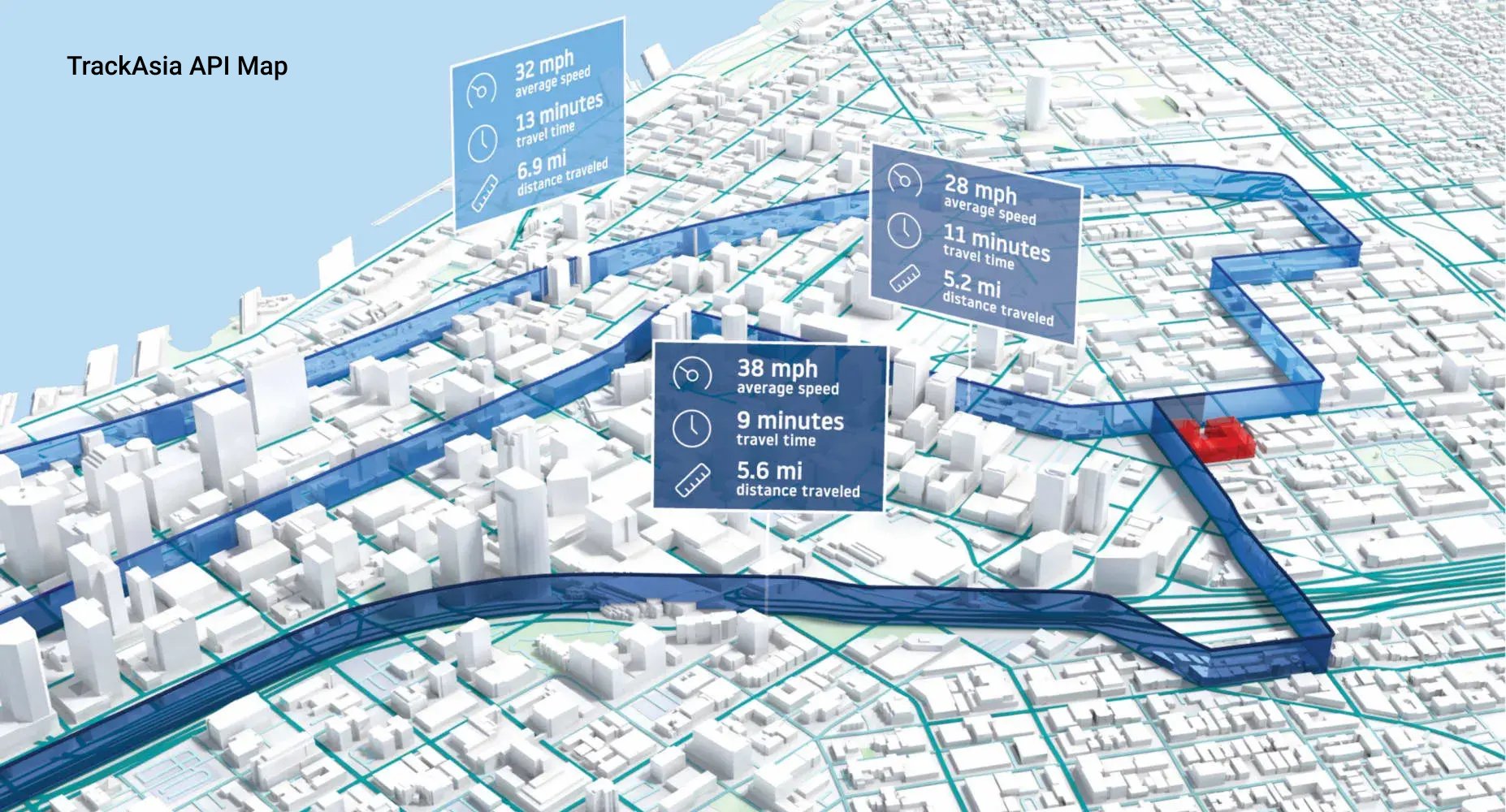
* MapVina is not only compatible with the Google API but also offers superior local advantages, supporting both old & new administrative boundaries, with infrastructure in Vietnam for optimal speed, and flexible pricing that is among the most competitive in the country.
MapVina is a local Vietnamese Maps API platform that provides both general and specialized Maps API solutions. Fast – Effective – Low Cost, it stands out with its ability to quickly update addresses, high compatibility with other providers’ APIs like Google Maps API or OSM, infrastructure located in Vietnam, and a distinctly competitive price point.
MapVina offers a full suite of essential features including place search, geocoding, routing, distance matrix, base tiles, and display tools. The platform supports both old and new administrative boundaries – making it especially suitable for systems that need to adapt promptly to the administrative reclassification changes from July 1, 2025. With servers located in Vietnam, MapVina ensures fast response times, high stability, and easy scalability.
Currently, MapVina is one of the few providers in Vietnam with the most flexible and preferential pricing in the market, supporting both Pay-As-You-Go and Subscription models — helping businesses optimize costs right from the start. Clear technical documentation, Vietnamese language support, and Google API compatibility make it easy to switch or quickly integrate into existing systems.
Best for: E-commerce, logistics, real estate, fintech, public services — from startups needing low costs to large enterprises requiring a stable, accurate system that is updated with new administrative boundaries.
Watch out for: If migrating from a system using Google Maps, it’s advisable to check the corresponding endpoint list to ensure full compatibility — especially with advanced APIs like matrix routing or real-time traffic.
7. VietMap

*VietMap is a purely Vietnamese map platform, known for its detailed local data and domestic technical support. However, its customization capabilities and international coverage are limited — best suited for domestic systems needing basic on-the-ground accuracy.
VietMap is a long-standing domestic map platform in Vietnam, notable for its detailed local data and a basic API/SDK ecosystem serving display, place search, routing, and geocoding needs.
VietMap’s strength lies in its ability to periodically update data based on fieldwork — especially in small residential areas, deep alleys, or suburban areas where many international platforms often lack detail. The platform also supports a Vietnamese interface and easy integration for popular systems like ride-hailing, delivery, or domestic e-commerce services.
Best for: Domestic systems that require detailed Vietnamese data, have basic display requirements, and do not heavily depend on advanced features or international coverage.
Watch out for: Customization capabilities are limited, advanced APIs are not extensive, and it lacks some functions like route optimization matrix or support for new administrative boundaries. Businesses should test thoroughly with real use cases before deploying at a large scale.
8. Goong

*Goong: A domestic API with smooth vector tile rendering, local payment & support — suitable for domestic needs; it’s recommended to pilot its data/SDK for complex problems before scaling up.
Goong is a domestic Maps API platform developed by a Vietnamese team, known for its smooth display thanks to a modern vector tile architecture, which is highly compatible with web and mobile applications.
The platform provides a basic set of APIs including place search, routing, geocoding, and base tiles, accompanied by an access management dashboard and developer-friendly technical documentation. Goong also supports payments in VND, making it easy to integrate for domestic businesses.
Best for: Small and medium-sized enterprises (SMEs), domestic applications that need a smooth-displaying map, easy integration, and operational support in Vietnamese.
Watch out for: Goong’s underlying data and advanced SDKs are still being improved. For problems requiring routing optimization, support for new administrative boundaries, or high legal requirements, businesses should pilot thoroughly based on real use cases before deploying at a large scale.
9. Map4D

* Map4D: stands out with local 3D/4D display, suitable for smart city & real estate; it’s recommended to pilot data performance when optimal routing or large scale is needed.
Map4D is a digital map platform developed by a Vietnamese team, notable for its 3D/4D display capabilities – adding a “time dimension” to the map, allowing for simulations of high-rise buildings, landmarks, and urban data layers in real time. Its smooth WebGL renderer, along with 2D/3D SDKs for web and mobile, makes Map4D particularly suitable for smart city, digital tourism, real estate, and virtual tour applications.
In terms of data, Map4D focuses on major cities in Vietnam, providing foundational APIs like search, display, and basic routing. The 3D data layer helps convey brand identity clearly, creating a strong visual impression for B2C products or platforms with a high experiential factor.
Best for: Smart city applications, real estate, digital tourism, and projects that require vivid 3D spatial presentations.
Watch out for: The documentation ecosystem and developer community are not as extensive as international platforms. For systems that prioritize optimal routing, accurate geocoding, or handle high query volumes, it’s advisable to pilot early to verify the backend data capabilities and performance scalability.
10. eKGIS

* eKGIS is strong in project-based, on-premise & OGC-compliant deployments—suitable for GovTech/enterprises needing data sovereignty and deep customization.
eKGIS is a long-standing GIS integrator in Vietnam, with strengths in map projects for government agencies and large enterprises. Its core strength lies in customization upon request, on-premise/Private Cloud deployment, compliance with OGC standards (WMS/WMTS/WFS), and connecting to cadastral, planning, and urban infrastructure databases. Besides base maps and thematic data layers, eKGIS provides services for tile rendering, basic search/geocoding, and application-level routing (depending on the deployment model).
Best for: GovTech, smart cities, utilities (electricity/water/telecom), and businesses that prioritize data sovereignty and internal control processes.
Watch out for: Implementation time and costs often depend on the project scope, and technical documentation may be scattered across different modules—it’s recommended to pilot early to finalize the scope and performance KPIs.
Choosing the Right Digital Map Platform for Vietnamese Businesses
Maps API is no longer just a supplementary tool; it has become a crucial part of the digital infrastructure — directly impacting user experience, delivery accuracy, and system scalability.
Depending on the scale, industry, and technological orientation, each map platform will have its own pros and cons:
In a period where businesses need to tightly control costs, ensure geographical accuracy, and react quickly to administrative changes – choosing the right Maps API platform is a strategic decision.
If your business:
✅ Needs to replace Google Maps but wants to keep the API structure,
✅ Is preparing to update for the 2025 administrative boundary changes,
✅ Wants to optimize map operational costs at a large scale,
✅ Needs to integrate quickly into existing systems (CRM, ERP, App, Website…),
👉 MapVina is a local option worth considering.
With its Google API compatibility, updates for both old & new boundaries, infrastructure in Vietnam, fast response speeds, and flexible pricing – MapVina is not just an alternative, but a strategic map solution for Vietnamese businesses in the digital transformation era.
- 🌐 Maps: https://maps.mapvina.com
- 📘 Docs: https://docs.mapvina.com
- 💬 Email: [email protected]
Administrative Boundary API Update: Flexible Support for Both Old & New Addresses
11/07/2025
Administrative Boundary API Update: Flexible Support for Both Old & New Addresses
July 1, 2025 marks a major milestone as Vietnam officially implements the new administrative boundaries, streamlining from 63 to just 34 provinces and cities. This is not only an administrative change but also raises urgent requirements for updating map data, identification systems, and addresses in technology systems.
To support businesses and developers during this transition, MapVina Maps officially upgrades its API with the ability to:
✅ Support searching and displaying addresses according to the new administrative boundaries.
✅ Flexibly switch and retrieve both old and new addresses in parallel.
✅ Backward compatibility, ensuring no disruption to existing systems.
MAP Update: Switch from v1 ➝ v2
If you are using MapVina-gl to display maps, please update your initialization code to the new standard:
Previously (v1):
container: ‘map’,
style: ‘https://maps.mapvina.com/styles/v1/streets.json?key=public_key’,
center: { lat: 10.762622, lng: 106.660172 },
zoom: 6
});
Now (v2):
container: ‘map’,
style: ‘https://maps.mapvina.com/styles/v2/streets.json?key=public_key’,
center: { lat: 10.762622, lng: 106.660172 },
zoom: 6
});
Note: v2 uses the latest map dataset, compatible with the new administrative boundaries effective from July 1, 2025.
👉 Quick integration guide here: MapVina’s Map Integration Documentation
⚙️ Update Rest API
– By default, the API returns addresses according to the old administrative boundaries (before July 1, 2025) to ensure compatibility with current systems.
The search/autocomplete /place detail APIs have been updated to support the new administrative units. Users can easily adjust API behavior via 2 new parameters:
1. new_admin=true
When added to the query, the API will return addresses according to the new administrative boundaries (updated after July 1, 2025). If this parameter is not provided, the API will default to the old address for backward compatibility.
2. include_old_admin=true
This parameter is used together with new_admin=true so the API returns both new and old addresses in parallel. The old address will be shown in fields prefixed with old_*
example:
- old_formatted_address
- old_address_components
Example 1: Default query (old boundaries)
OUTPUT:
“formatted_address”: “336 Trương Công Định, Phường 8, Thành phố Vũng Tàu, Tỉnh Bà Rịa-Vũng Tàu”,
“address_components”: […],
}
- This is the default result when not passing new_admin=true, the system will use the old boundaries to ensure backward compatibility.
- The displayed address is Ward 8, Vung Tau City, Ba Ria-Vung Tau Province.
Example 2: Return new boundaries
OUTPUT:
“formatted_address”: “336 Trương Công Định, Phường Tam Thắng, Thành phố Hồ Chí Minh”,
“address_components”: [
{ “long_name”: “336”, “types”: [“street_number”] },
{ “long_name”: “Trương Công Định”, “types”: [“route”] },
{ “long_name”: “Phường Tam Thắng”, “types”: [“administrative_area_level_2”] },
{ “long_name”: “Thành phố Hồ Chí Minh”, “types”: [“administrative_area_level_1”] },
{ “long_name”: “Vietnam”, “types”: [“country”] }
],
“place_id”: “6:venue:184ea827-6691-5439-b6a2-abcc640c2cd4”
}
- When adding new_admin=true, the returned address will reflect the new administrative boundaries effective from 01/07/2025.
- The displayed address is: Ward Tam Thang, Ho Chi Minh City.
|Example 3: Return both old and new addresses
OUTPUT:
“formatted_address”: “336 Trương Công Định, Phường Tam Thắng, Thành phố Hồ Chí Minh”,
“address_components”: […],
“old_formatted_address”: “336 Trương Công Định, Phường 8, Thành phố Vũng Tàu, Tỉnh Bà Rịa-Vũng Tàu”,
“old_address_components”: […]
}
- The new address reflects the post-merger administrative unit: Ward Tam Thang, Ho Chi Minh City
- The old address is still fully accessible: Ward 8, Vung Tau City, Ba Ria-Vung Tau Province
👉 See more at: MapVina API Documentation
Why is this feature important?
- Compatible with both old and new data: Your system, partners, and customers may be using different address versions.
- Reduce delivery and routing errors: Displaying both helps increase accuracy and reduce confusion.
- Prepare for nationwide transition: Proactively updating helps you stay ahead instead of reactively handling issues.
USAGE SUGGESTIONS
- When displaying addresses to end users: Use include_old_admin=true to show both old and new addresses, avoiding confusion.
- When syncing backend systems: You can call new_admin=true to start gradually updating data to the new standard.
- When processing orders, CRM, ERP, logistics: Should record both to support accurate lookup, comparison, and historical analysis.
MapVina is committed to supporting businesses, developers, and the ecosystem during Vietnam’s administrative boundary transition. With this update, you can:
- Proactively manage data according to the new standard
- Ensure system flexibility and stability
- Minimize risks when addresses change
If you need technical support or implementation advice, the MapVina team is ready to assist you!
👉 See more at: MapVina Documentation
📬 Contact support: [email protected]
Administrative Boundary Changes and the Emerging Challenges and Risks in the Information Technology Sector
09/07/2025
Administrative Boundary Changes and the Emerging Challenges and Risks in the Information Technology Sector
New Map, New Rules: Vietnam’s Transport Industry Transforms Ahead of the Administrative “Earthquake”
July 1, 2025 marks a historic milestone for Vietnam’s administrative map, as the number of provinces and cities is streamlined from 63 to 34. This change is not just on paper but represents a powerful “earthquake,” especially for businesses in the transport and delivery sector.
Renaming, code changes, and boundary adjustments for thousands of communes, wards, and towns are posing a major challenge:
– How can the massive IT systems in the logistics industry adapt promptly, avoid service disruptions, and ensure a seamless customer experience?
Let’s join MapVina in a deep-dive analysis of the challenges, potential risks, and strategic solutions to help businesses confidently weather this “storm” of change.
- Integrating administrative boundary updates into IT systems: Government agencies publish new data and maps. For example, in Hanoi, cadastral maps for 126 communes and wards have been updated to accurately reflect the new boundaries. Enterprise IT systems can integrate this data through map APIs and administrative databases.
- Internal GIS systems also need updates: digital maps, geolocation data, region code tables, and place names. Update steps include: collecting the new administrative listings, standardizing address names, linking old and new administrative codes, and re-entering data into CRM, ERP, TMS, WMS, etc. Synchronization across all platforms is mandatory to avoid data inconsistencies. During the initial roll‑out, many cadastral maps are incomplete or inconsistent, and new commune/ward boundaries may be unclear. This makes it difficult for businesses to correctly identify addresses, segment delivery zones, or process location data.
– Example: A location name may be recorded differently across sources, especially in areas undergoing mergers or splits. Some areas lack clear boundary maps, complicating system processing. Therefore, tech companies must proactively review, cross‑reference multiple sources, and update flexibly — even using user feedback to ensure map accuracy reflects local reality.
- Without input data standardization, businesses are prone to conversion errors. Using automation tools (APIs or middleware) helps ensure no orders get lost due to incorrect place names.
– Furthermore, boundary changes also create challenges for many user groups. Many residents still remember and use old addresses, causing entry and lookup confusion for deliveries or administrative procedures. While younger users can quickly adapt via web or mobile apps, older adults or children may struggle to distinguish between new and old addresses, increasing the risk of service errors.
Challenges for Transport and Delivery Businesses
- Changes to delivery zones and shipping rates: Administrative boundary changes require recalculation of delivery fee formulas. Without updates, systems may miscalculate shipping charges.
- Disrupted delivery routing: Automated routing systems must adapt to new data flows. Using outdated maps may lead to incorrect directions and suboptimal routing.
- Mapping apps and APIs: Many businesses rely on third‑party maps. If partners haven’t updated their data, search results may be inaccurate.
- Confusion between old and new addresses: Inconsistent address entry by users and staff can lead to delivery failures or lost orders.
- Data entry discrepancies: If input addresses aren’t standardized, mismatched data affects search, routing, transactions, and reporting.
- Need for software synchronization: All software systems—online (web/app) and offline (POS, warehouse systems, etc.)—must update address data, user profiles, customer databases, and delivery addresses. Missing any platform may cause operational errors or processing issues.
Economic Impact and Competitive Factors
Delays and errors in the update process not only frustrate customers but also directly affect a company’s profitability and competitive position.
- Rising operating costs: Routing mistakes lead to longer distances, higher fuel consumption, and increased labor costs. Handling misaddressed or returned orders manually consumes additional time and resources.
- Branding and communication costs: Changes to ward, district, or province names may force businesses to redesign signage, banners, promotional videos, printed materials, and ongoing campaigns. This incurs extra design‑print‑production costs and time to revise materials across all offline and digital channels.
– Although Official Letter 4370/BTC-DNTN 2025 and Article 63 of Decree 01/2021/NĐ‑CP state that businesses aren’t required to update their registered license if only the administrative unit name changes, in practice, updates are still needed for signage, transaction documents, and invoice or contract templates. These hidden changes, if unplanned, lead to significant unanticipated costs.
- Revenue decline: Customers losing trust may switch to competitors if service is unstable. Canceled or delayed orders directly reduce revenue.
- Brand reputation damage: In a fiercely competitive market, even a few major incidents can severely damage a company’s reputation, making it harder to attract and retain customers.
- Competitive advantage: Businesses leading in data updating and standardization gain a strong edge by optimizing operations and delivering superior customer experiences.
- Data and system update costs: To synchronize new addresses, companies must invest time and staff to audit, edit, and update data across all systems. This process also requires cross-checking, testing, and ensuring consistency, especially in organizations with many departments and interlinked processes. Without supporting tools, costs can skyrocket and disrupt operations. Using standardized administrative data from partners like MapVina helps shorten deployment time, reduce errors, and optimize technical costs.
Potential Risks and Customer Impact
- Data incidents: Mismatched address data can delay deliveries, generate incorrect locality on invoices, and complicate lookup and complaint resolution.
- Operational errors: Systems not updated in time can confuse staff. Auto‑classification and routing software may malfunction.
- Service disruption: Users may encounter errors when placing orders or need to cancel or adjust manually due to unrecognized addresses.
- Supply chain impact: Incorrect addresses in contracts, invoices, or licenses may cause legal disputes or delay registrations.
- Outdated delivery apps: Many apps still display old administrative addresses, causing driver errors, cancellations, or delays.
- Postal and conversion tools: Online old–to–new address conversion tools help improve flexibility and reduce mistakes.
- Data standardization: Using a standardized address dataset ensures systems function accurately despite boundary changes.
- Real business example: MapVina is currently located at 472 Tran Hung Dao, Ward 2, District 5, Ho Chi Minh City. After administrative boundary changes, the new address becomes 472 Tran Hung Dao, Cho Quan Ward, Ho Chi Minh City. If not updated promptly in identification systems, orders sent to the old address may be returned or misdelivered.

Strategic Approaches
- Standardize and update data: Audit and normalize addresses across systems. Update new administrative codes and use address verification tools.
- Store old–new addresses in parallel: Allow systems to accept both formats to ensure operational continuity and reduce confusion.
- Automation and API integration: Integrate map APIs and boundary databases for automatic updates.
- Use artificial intelligence: Employ AI to process complex addresses, normalize and match data, and support lookups.
- Maintain boundary history: Record changes over time to ensure accuracy and easy retrieval of historical data.
- Industry-wide standardization and data collaboration: Share datasets with partners, government, and map platforms. Promote postal code standardization.
- Staff training: Train operations teams on boundary changes, address verification, and data checking before creating orders.
Conclusion:
– Administrative boundary changes pose a significant challenge to the transport and delivery sector. Without thorough preparation, IT systems can fail, causing service disruptions and diminishing customer experience. To succeed, businesses must prepare early, test thoroughly, update data comprehensively, and collaborate closely with stakeholders.
MapVina Maps, with its rapid administrative data update capability, is a reliable solution in this context.
Alternative Solutions to International Map APIs
06/02/2025
Alternative Solutions to International Map APIs
Are you looking for a domestic map API solution to replace expensive international map API services?
Nowadays, digital maps are an indispensable tool for many businesses, especially in logistics, e-commerce, real estate, and many other industries. International map API platforms like Google Maps, HERE Maps, or Mapbox offer powerful features but come with increasing costs, putting financial pressure on small and medium-sized businesses. Therefore, the need to find a domestic map API solution that is cost-effective yet fully functional is becoming more urgent than ever.
MapVina – A comprehensive and cost-effective digital map API solution
MapVina is an advanced digital map platform developed to provide a perfect alternative to international map APIs at a reasonable price, suitable for Vietnamese businesses. With modern technology, accurate map data, and flexible customization capabilities, MapVina has become the top choice for many businesses in Vietnam.
Why should you replace international map APIs with MapVina?
More reasonable cost
- International map platforms often have high prices, especially when businesses expand their usage scale. MapVina offers various flexible service packages, from “Pay as you go” models to Subscription packages, optimizing costs for all needs.
Optimized support for the Vietnamese market
- Map data is optimized to suit the terrain, addresses, and traffic characteristics in Vietnam, providing businesses with more accurate experiences compared to international platforms.
High performance and response speed
- With server infrastructure located in Vietnam, MapVina ensures fast loading speeds and low latency, optimizing the experience for users and business systems.
Easy integration and use
- Fully supports necessary APIs, from Geocoding, Routing, Distance Matrix, Static Maps to Autocomplete, making it easy for businesses to integrate into applications or websites.
Flexible support policy
- MapVina’s technical support team is always ready to advise and help businesses quickly integrate systems and resolve issues during use.
MapVina’s map API services
MapVina offers many map API services that fully meet the needs of businesses:
- Geocoding API: Converts addresses to geographic coordinates and vice versa, helping to accurately determine locations.
- Routing API: Plans optimal routes, suitable for traffic and logistics.
- Distance Matrix API: Calculates distances and travel times between multiple locations.
- Static Maps API: Provides high-quality static maps for integration into websites and applications.
- Autocomplete API: Smart location suggestions to enhance user experience.
Does MapVina have all the features to replace international map APIs?
The answer is YES. With comprehensive features, high accuracy, reasonable costs, and scalability, MapVina can completely replace the international map APIs that businesses are using. Especially with flexible pricing packages, MapVina helps businesses save significant costs without affecting service quality.
Act now!
If you are looking for a cost-effective, efficient, and optimized digital map solution for the Vietnamese market, MapVina is the perfect choice for you. Discover the powerful features of MapVina and start your journey to enhance your business performance today!
Explore International and Vietnamese Map Solutions
06/02/2025
Explore International and Vietnamese Map Solutions
Today, let’s explore the world of map solution services and learn about the outstanding features
of some famous international and domestic map solution providers, and of course,
MapVina cannot be missed!

International Map Giants
1. Google Maps

This name is already familiar to almost all users worldwide,
Google Maps provides detailed and updated maps globally. With many features
such as real-time traffic updates, street view for exploration, and route
suggestions based on location, Google Map is also considered a reliable companion
no matter where you are in the world.
2. OpenStreetMap

With abundant and completely open resources, OpenStreetMap provides a flexible
map service platform. The most notable feature of OpenStreetMap, widely known,
is its open community-driven database, allowing users to contribute and customize
maps. This has made OpenStreetMap ideal for projects requiring highly customizable
map solutions and databases.
3. Mapbox

As a map setup platform for developers, Mapbox is highly rated
for its excellent customization options. Mapbox allows developers to create
interactive, highly customizable maps with precise design control and easy
integration into other applications, making it a suitable choice for map
service developers.
Digital Map Providers and Developers in Vietnam
1. VietMap

Vietmap provides digital map services for base maps (Tile Map); address and location
search (Searching); routing and optimal routing (TSP, VRP) to meet the needs
for digital maps domestically and internationally.
2. Goong Map

Goong Maps possesses a rich and continuously updated data repository across all provinces
in Vietnam. This data system is entirely built and updated by Goong. However,
the current Goong Maps API is only developed and data collected within Vietnam’s territory.
Additionally, the location information searched is not yet rich and accurate.
3. Map4D

Map 4D displays detailed locations on the map in 3D images, allowing real-time
weather updates and routing. Although it is cheaper than Google and has its own
database, Map4D still needs to overcome the drawbacks of slow and heavy loading,
incomplete and inaccurate data, and a search function that is not smart and user-friendly.
4. MapVina

MapVina is an advanced map solution designed specifically for businesses
in Vietnam and the region. With simplified operations and in-depth real-time
information, routes and itineraries are optimized by MapVina with easy and
simple integration capabilities. MapVina can adapt to almost all businesses
of all sizes, providing customization capabilities to meet specific needs.
Additionally, MapVina offers in-depth insights into Vietnam’s geographical
space with frequently and fully updated routes. With an ideal price, MapVina
ensures businesses receive quick support with seamless integration into existing
systems, contributing to enhancing efficiency and driving growth for businesses
across Vietnam.
Discover the difference with MapVina today and elevate your business!
Discover MapVina today: Here
Google Maps: Comprehensive Overview of Recent Updates and Comparison with Vietnamese Digital Map Platforms
06/02/2025
Google Maps: Comprehensive Overview of Recent Updates and Comparison with Vietnamese Digital Map Platforms
In recent years, the digital mapping landscape has undergone significant transformations, driven by advancements in technology and the growing demand for accurate and accessible location information. Google Maps, the world’s leading digital mapping company, has consistently introduced new features and updates to enhance user experience. In 2023, Google Maps rolled out a series of updates, introducing features such as immersive view, live traffic updates, and eco-friendly routing. These updates have further cemented Google Maps’ position as a leading digital mapping platform. These updates include:
● Immersive View: Immersive view provides a photorealistic representation of famous landmarks, allowing users to virtually explore destinations before visiting them.
● Eco-Friendly Routing: Google Maps now prioritizes eco-friendly routes, helping users reduce carbon emissions by choosing routes that consume less fuel.
● Live Traffic Updates: Real-time traffic updates ensure users are informed about current traffic conditions, allowing them to make informed decisions about their travel plans.
● Enhanced Indoor Maps: Google Maps has expanded its indoor mapping capabilities, providing detailed maps of airports, shopping malls, and other indoor venues.
● Personalized Recommendations: Google Maps uses machine learning technology to provide personalized recommendations for places to visit, dine, and activities to experience.
The Context of Vietnam’s Digital Maps
In recent years, Vietnam’s digital mapping platforms have witnessed significant growth, with several homegrown platforms emerging to cater to the needs of local users. These platforms have made significant strides in providing accurate and updated map data, tailored to Vietnam’s unique geographical and cultural context.
Vietmap: Vietmap is another leading digital mapping platform in Vietnam that has attracted a significant user base. The platform is known for its detailed map data, especially for rural and remote areas of Vietnam. It offers a limited set of features compared to Google Maps and Map4D, but it remains a useful tool for navigating Vietnam. Some of its features include:
● Detailed maps of major cities in Vietnam
● Turn-by-turn driving directions
● Street view for some cities
● Public transport information for some cities

Map4D is a Vietnamese digital mapping platform designed specifically for the Vietnamese market. It offers many similar features to Google Maps, but it also has some unique features tailored to local needs, such as:
● Detailed maps of rural Vietnam
● Vietnamese language support
● 3D and 4D maps for enhanced display
● Integration with Vietnamese transportation services

MapVina: an independent, efficient, and cost-optimized digital mapping system deployment solution. MapVina was created with the mission to meet the practical needs in the development of technology and the increasing demand for map usage by all businesses in Vietnam. Unique features of MapVina:
● Geocoding
● Distance Matrix: a function that provides distance and travel time for a matrix between starting points and destinations.
● Autocomplete: this function helps users search for information easily and quickly by entering just a few characters or keywords.
● Map view
● Routing
● Map SDK

Vietnam’s Digital Mapping Platforms: Serving Local Needs
Vietnam’s digital mapping platforms have gained traction in recent years due to their ability to address the specific needs of local users. These platforms often provide more detailed information about local businesses, attractions, and transportation options, making them more suitable for Vietnamese users.
Additionally, Vietnam’s digital mapping platforms are increasingly incorporating features that cater to local preferences, such as Vietnamese voice navigation and local language search support. These efforts to enhance user experience are contributing to the growing popularity of Vietnam’s digital mapping platforms.
Embracing the Future of Digital Mapping
As we have seen, both Google Maps and Vietnam’s digital mapping platforms are committed to providing users with innovative and user-centric solutions. Google Maps continues to push the boundaries of technological advancements, while Vietnamese platforms are gaining momentum by catering to the specific needs of local users. Ultimately, the future of digital mapping lies in the seamless integration of global expertise with local insights, empowering users to explore the world with confidence and ease.
The choice between Google Maps and Vietnam’s digital mapping platforms ultimately depends on the specific needs and preferences of the user. For users who prioritize global coverage, comprehensive features, and advanced technology, Google Maps remains the preferred choice. However, for users who prioritize detailed local information, tailored features, and Vietnamese language support, Vietnam’s digital mapping platforms offer an attractive alternative. As both Google Maps and Vietnam’s digital mapping platforms continue to evolve, users can expect even more innovative features and enhanced user experiences in the years to come.
Why is Google Maps API Limited in Vietnam?
06/02/2025
Why is Google Maps API Limited in Vietnam?
Are you having trouble using the Google Map API in your project in Vietnam? Google’s restriction on this service has significantly impacted many businesses. So what is the real reason and is there a more optimal solution? Let’s find the answer with MapVina.

1. Geographical Location
The main reason behind the restriction of Google Map API in Vietnam is related to some unclear border issues on islands and seas. These factors have inevitably led to the restriction of Google Map API in Vietnam.
Additionally, according to documents from Google Maps Platform, Vietnam has been listed among the “Prohibited Territories” along with countries like North Korea, Iran, and Syria. This confirms that Google’s restriction policy is not only related to geographical factors but also stems from legal and political constraints.
For example, territorial disputes in the South China Sea have made Google cautious in displaying geographical information accurately and objectively. See details

2. Censorship
Vietnam’s strict content control policy to ensure cybersecurity and social order is also one of the reasons why Google restricts its services.
3. Data Storage
Another factor is the control over data storage in Vietnam. By requiring international technology service providers to have database infrastructure in Vietnam, Vietnam can maintain control over the data stored on the servers of international technology service providers in Vietnam to comply with Vietnamese law.
4. Seeking Solutions
In this situation, many businesses have quickly shifted to domestic digital map solutions to ensure stability and safety for their business operations.
MapVina – Comprehensive digital map solution for Vietnamese businesses
With a frequently updated and highly accurate data bank. MapVina confidently offers a perfect alternative to the Google Map API. Our product not only meets all mapping and positioning requirements but also helps businesses optimize workflows and enhance operational efficiency.
Ho Chi Minh City Renames Several National Highways: Update Now for Accurate Transport Planning
05/02/2025
Ho Chi Minh City Renames Several National Highways: Update Now for Accurate Transport Planning
Ho Chi Minh City has just decided to rename a series of national highways passing through the area, causing considerable disruption for residents and transport businesses. Updating information about these changes is extremely important to ensure smooth and accurate travel and transportation of goods. MapVina provides readers with detailed information about this change, while emphasizing the importance of using digital maps to always keep up with the latest changes.
According to the latest decision of the People’s Committee of Ho Chi Minh City, many national highways passing through the city have been renamed, specifically as follows:
- National Highway 1 (section through Ho Chi Minh City) is divided into 3 sections:
– Section 1 from Thu Duc intersection (old Tram 2 junction) to An Suong intersection is named Do Muoi
– Section 2 from An Suong to An Lac, over 14 km long, is named Le Duc Anh
– Section 3 from An Lac to the Long An provincial border, 9.4 km long, is named Le Kha Phieu.
- National Highway 1K: over 1.8 km through the city is renamed Hoang Cam.
- National Highway 22 is divided into 2 sections:
– Section 1 from the National Highway 1 intersection to An Ha bridge, 10 km long, is named Le Quang Dao
– Section 2 from An Ha bridge to the Tay Ninh provincial border, 20 km long, is newly named Phan Van Khai
- National Highway 50, 8.5 km from Nguyen Van Linh road to the Long An provincial border, is newly named Van Tien Dung.
Renaming these national highways may cause certain difficulties for residents and transport businesses in finding routes, planning travel, especially for those who do not frequently travel on these roads.
Read the original article at here
For transport businesses, renaming these national highways can have significant impacts, including:
- Difficulty in route planning: Transport businesses need to update information about new road names to plan transportation routes accurately and efficiently.
- Risk of wrong delivery location: Not knowing the new road names can lead to wrong delivery locations, causing time loss, costs, and affecting the company’s reputation.
- Time-consuming route finding: Drivers may spend extra time finding routes due to unfamiliarity with new road names, especially during peak hours.
- Impact on operational efficiency: These difficulties can affect the operational efficiency of businesses, causing time and cost waste and reducing productivity.
To help transport businesses overcome these difficulties, MapVina provides a comprehensive digital map solution with the following superior features:
- Continuously updated map data: MapVina always updates the latest map data, including information about road names, locations, and traffic, helping businesses keep up with the latest changes.
- Smart route finding: MapVina provides a smart route finding tool, helping drivers find the optimal route, saving time and fuel.
- Vehicle tracking: MapVina allows businesses to track vehicle locations in real-time, ensuring safety and efficiency during transportation.
- Easy integration: MapVina can be easily integrated into existing transport management systems of businesses, helping you manage operations effectively.
Renaming national highways is a major change, requiring transport businesses to be prepared and respond promptly. MapVina will be a reliable companion, helping you overcome these difficulties and improve operational efficiency.
Visit MapVina’s website today to learn more about the digital map solution for transport businesses and experience our superior features.